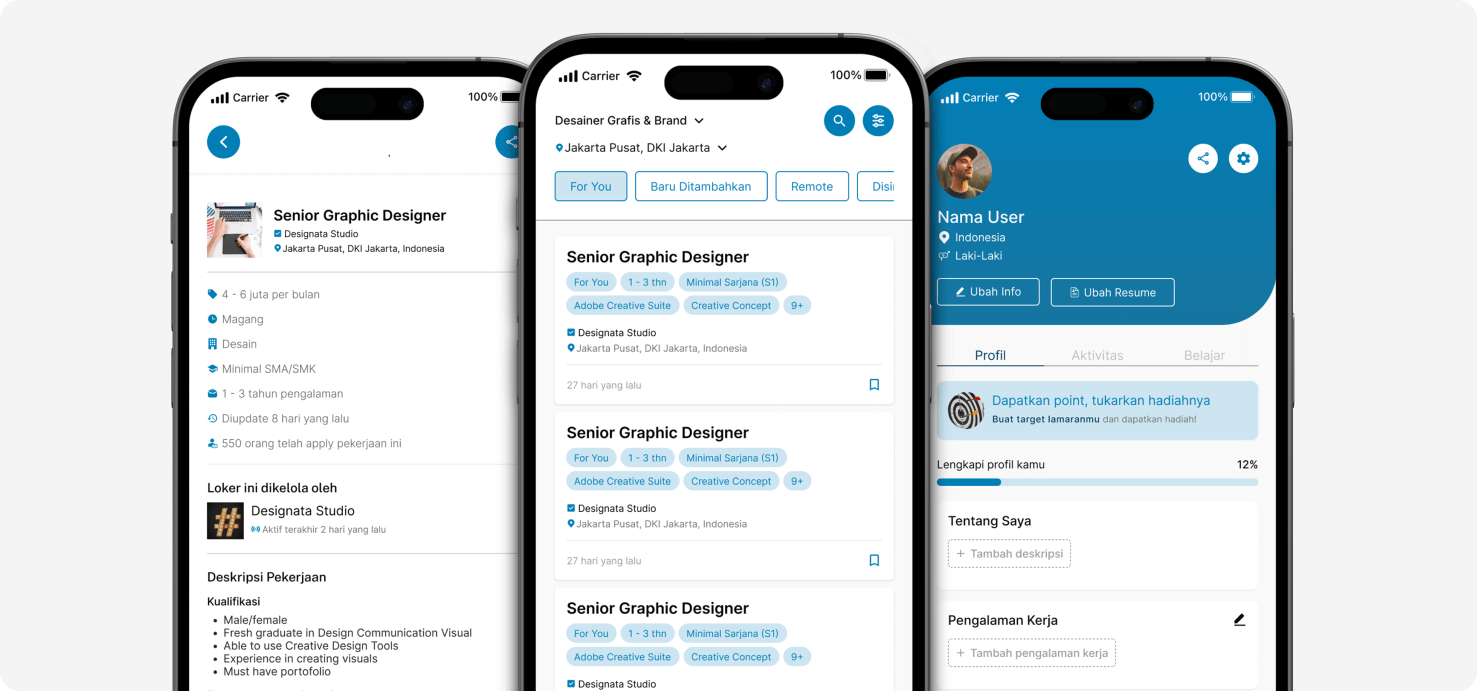
Glints is a job-seeker platform that started in 2015. It has registered over 5 million professionals and 500,000 organizations in countries such as Indonesia, Malaysia, Singapore, Vietnam, the Philippines, and Cambodia.
Problem Statement
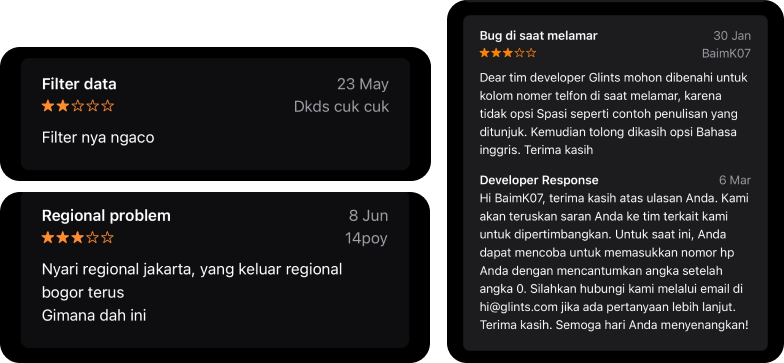
Based on research and analysis in the Google Play Store review section, users have complained about filters for searching for vacancies in the application. Then, after a brainstorming session, it was also found that some problems in the interface could be improvised again
Goal Objective
Improving the interface display and user experience for entry-level job seekers and recent graduates based on the user's pain points and improving them according to user needs
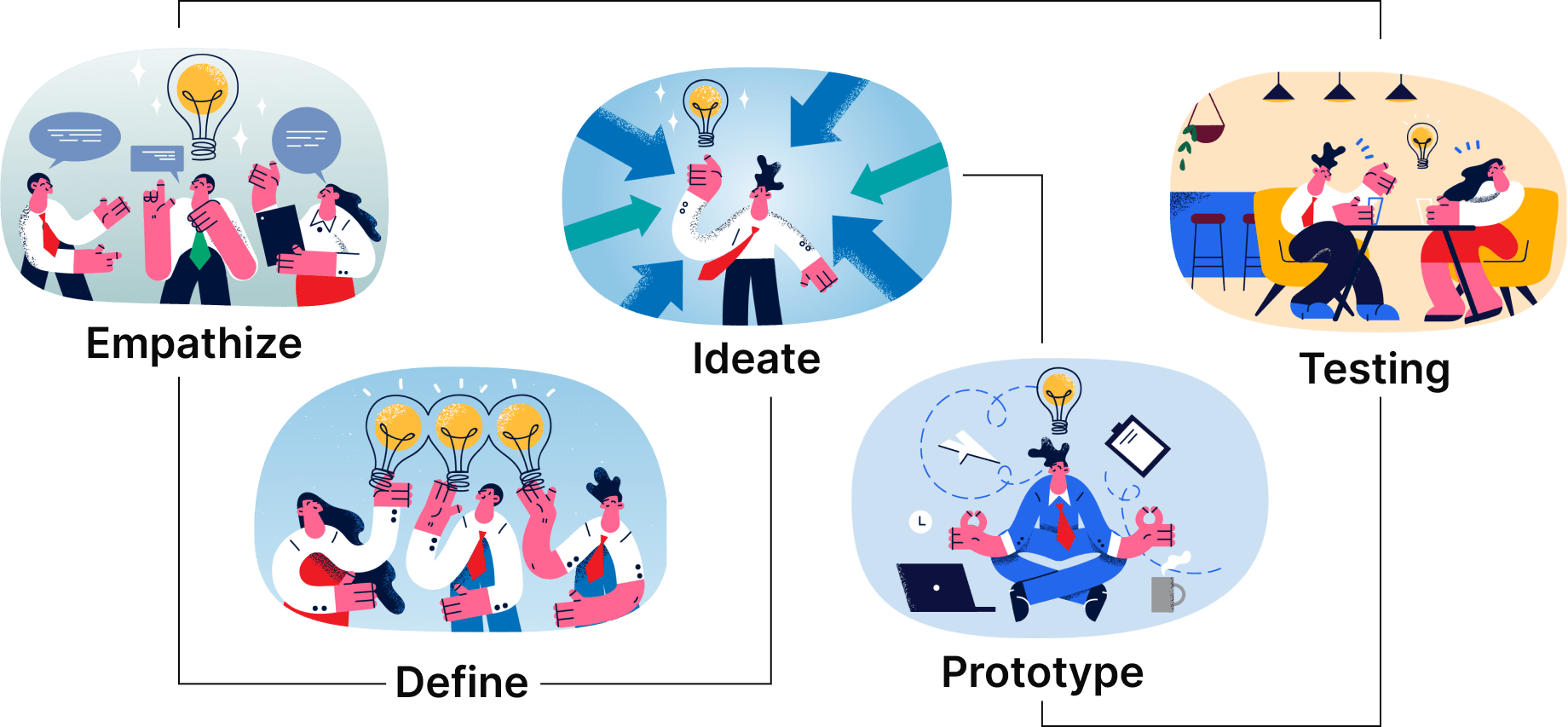
Design Thinking Process
Empathize
Method
This research was conducted to understand and identify pain points in the application. Four individuals were surveyed to gain insight into user behavior when using the app.
Preliminary Usability Testing
Tipe: Moderated
Duration: 5-10 Minutes
Participants: 4 People
Criteria of Participants
24 - 27 years old
Fresh Graduates or Job Seeker
Never used the application but have used a similar application
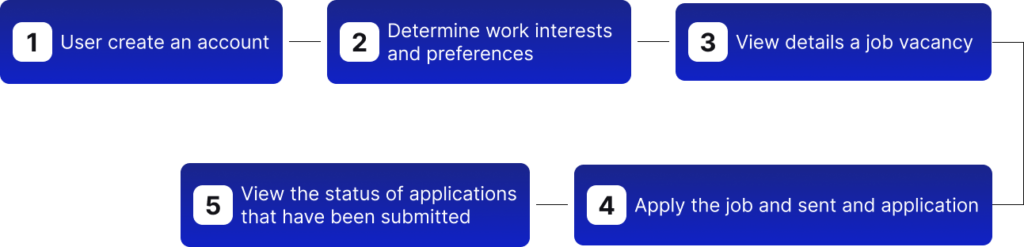
Task Flow
7 tasks were created to understand how users can register and apply for job vacancies in Glints. This will give some insight into what features need to be improved.
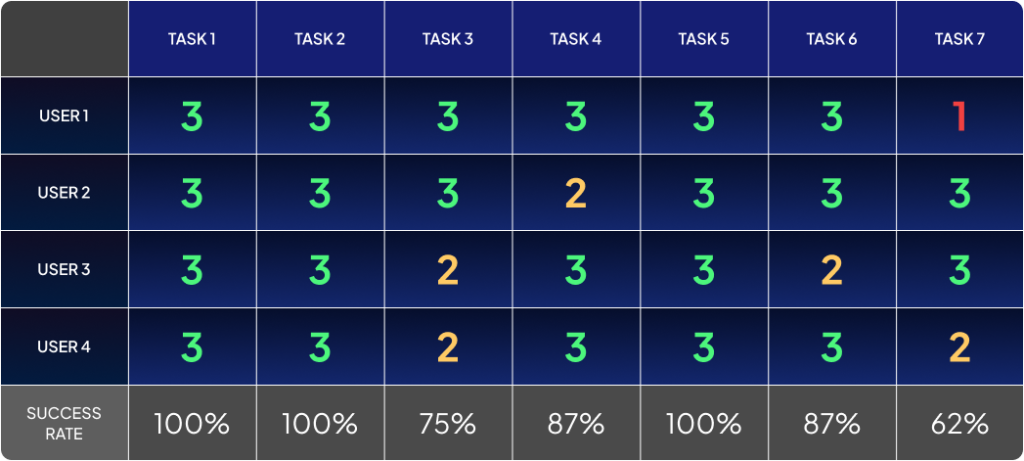
Success Rate
To find out and measure each task's success rate, we must get the average success rate score. Good application usability if it reaches an average of around 78%
Average Success Rate
87,3%
This research was conducted to understand and identify pain points in the application. Four individuals were surveyed to gain insight into user behavior when using the app.
Findings
This is a list of the various problems found in the application obtained based on exploration, interviews, and searching based on reviews.
01. Users want to define their own filters according to what they want and find jobs that are closest to their needs
02. Users need to change the application language according to the language preferences used
03. Users have difficulty seeing detailed information with the clock icon
04. The user wants the flow list of favorite job categories not to be too long
05. New users who register expect that when entering CV and Experiences it is easy to use
06. The user expects to know how many applicants have applied for a job
07. The user expects a feature to cancel the application from one of the job vacancies
08. The file limit on the CV/resume attachment is not highlighted by the user
09. The sequence of tracking the application status makes the user confused which is the newest and oldest status
10. There is no number of how many applications have been applied when opening the profile page in the activity tab
Define
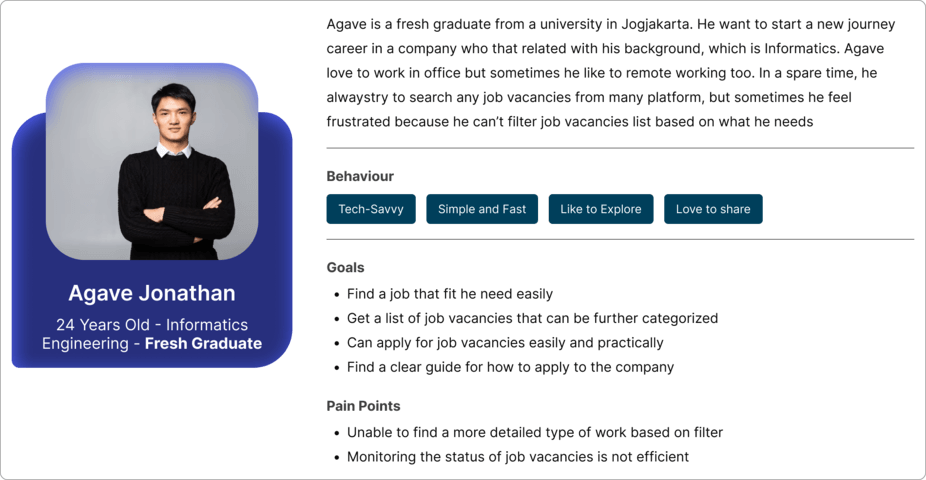
User Persona
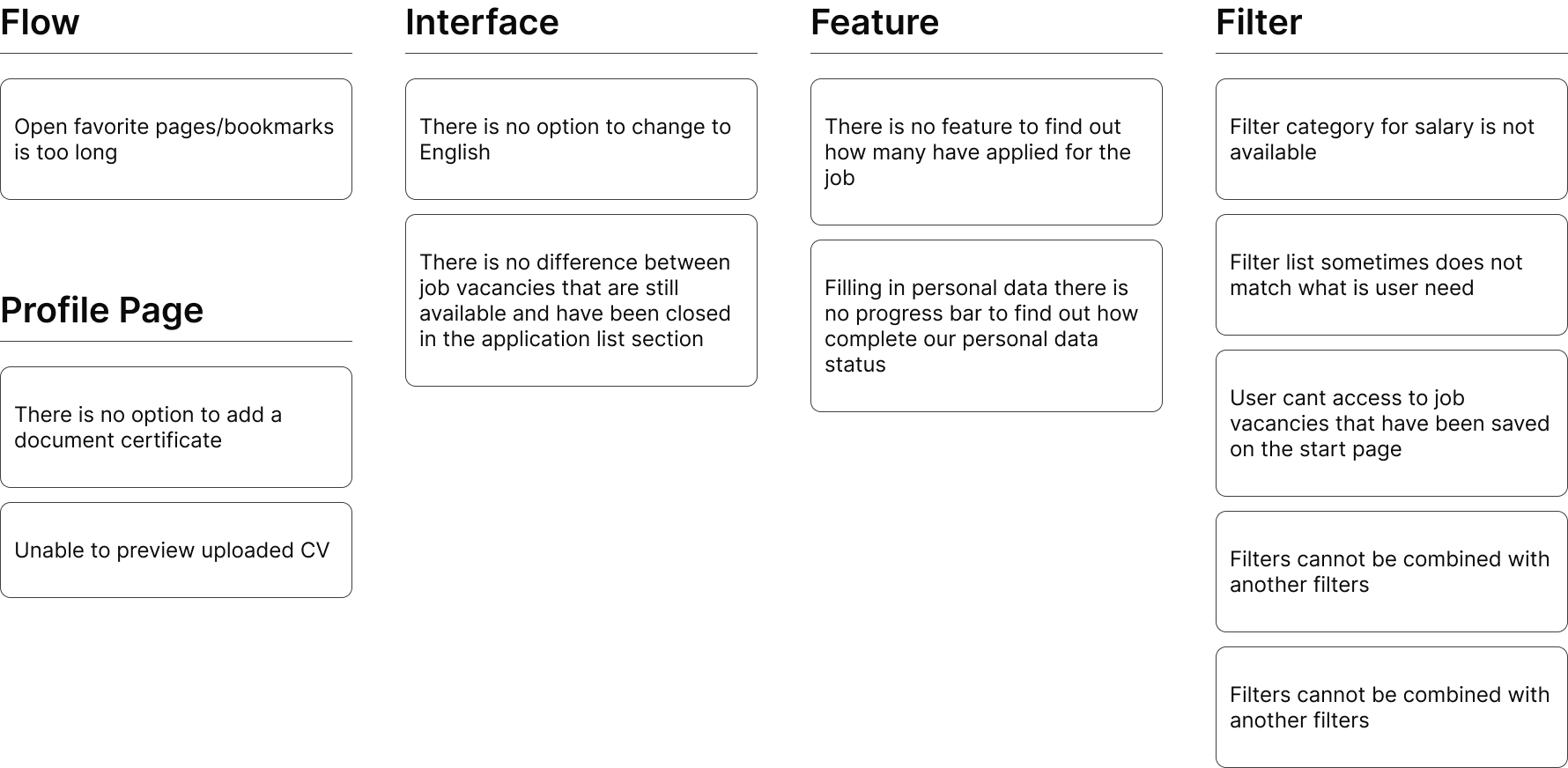
Affinity Map
I grouped the various types of problems found into problem categories to determine which category had the most problems.
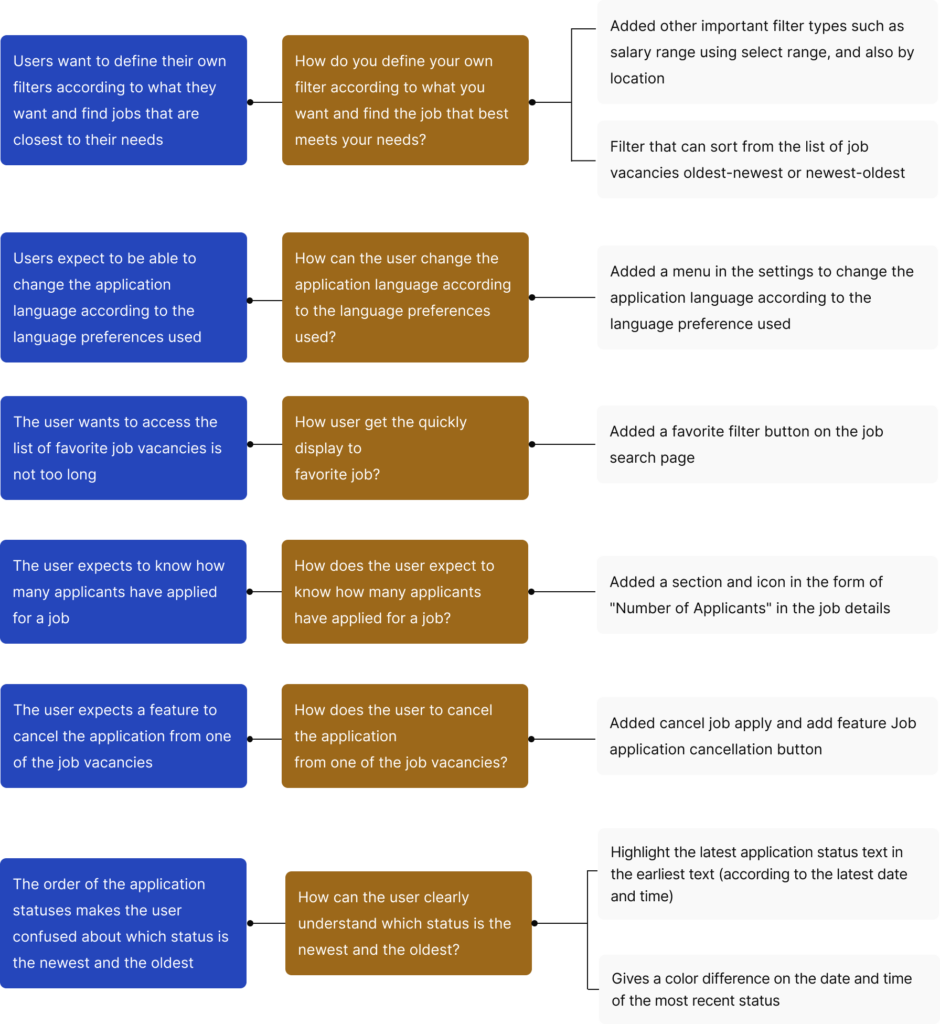
How Might We
At this stage, it can generate ideas to help solve problems with short questions in the initial process.
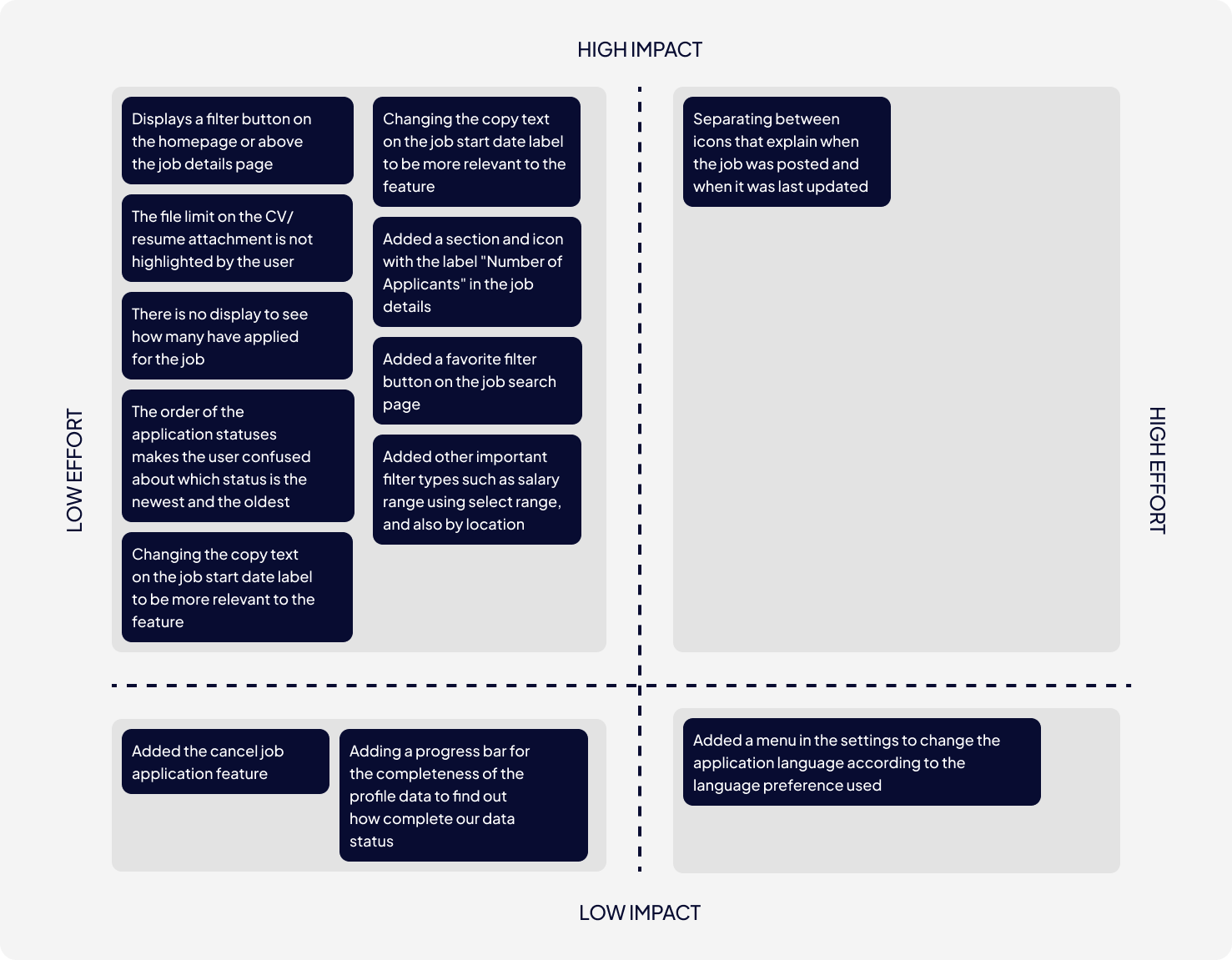
Priority Matrix
Arrange priorities for each finding found so you can know what points should be worked on first. Each finding is divided into four categories: Low-High Impact and Low-High Effort.
Design
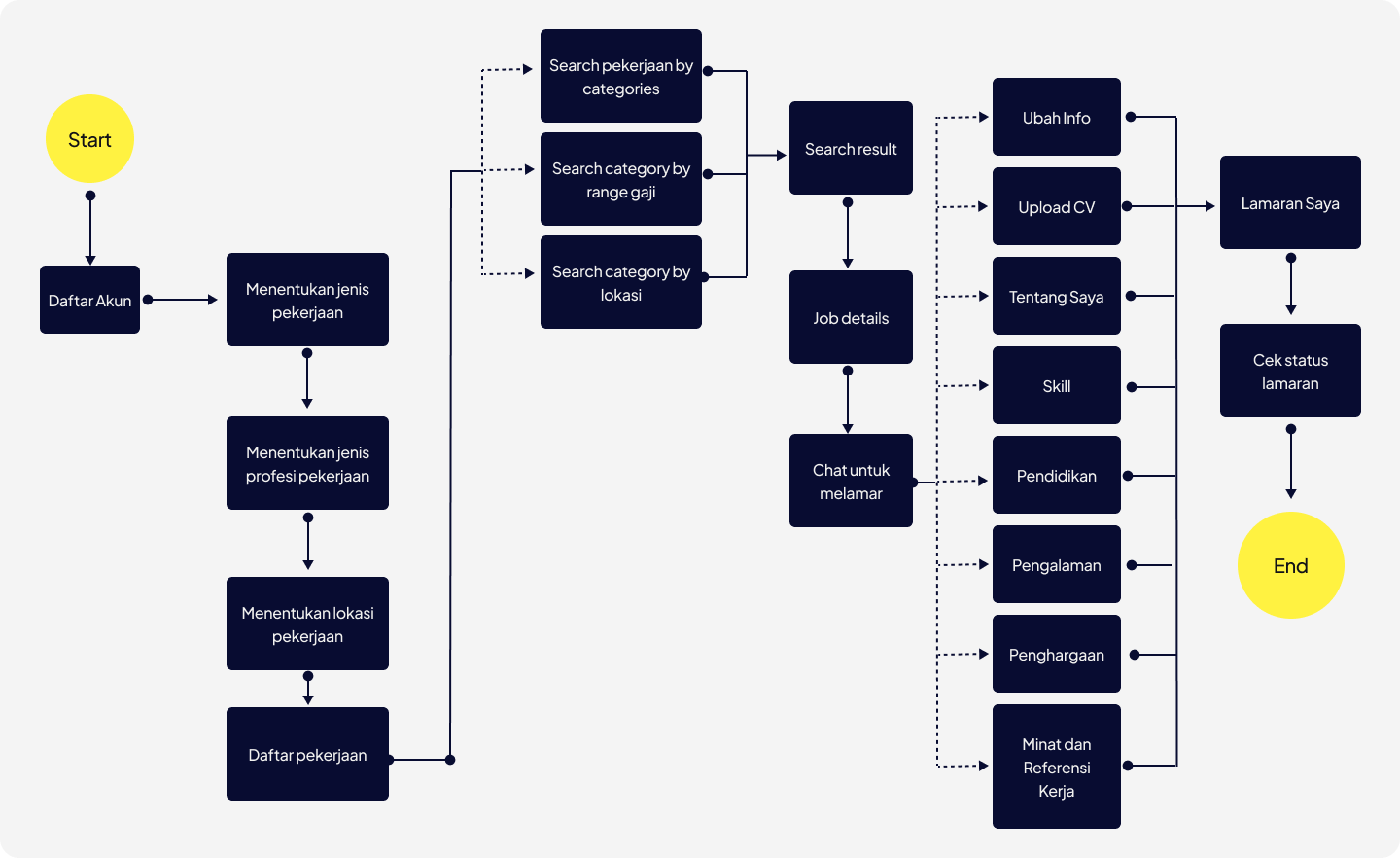
User Flow
A complete user flow must be used as a reference when making prototypes to understand the stages of user flow in achieving its goals.
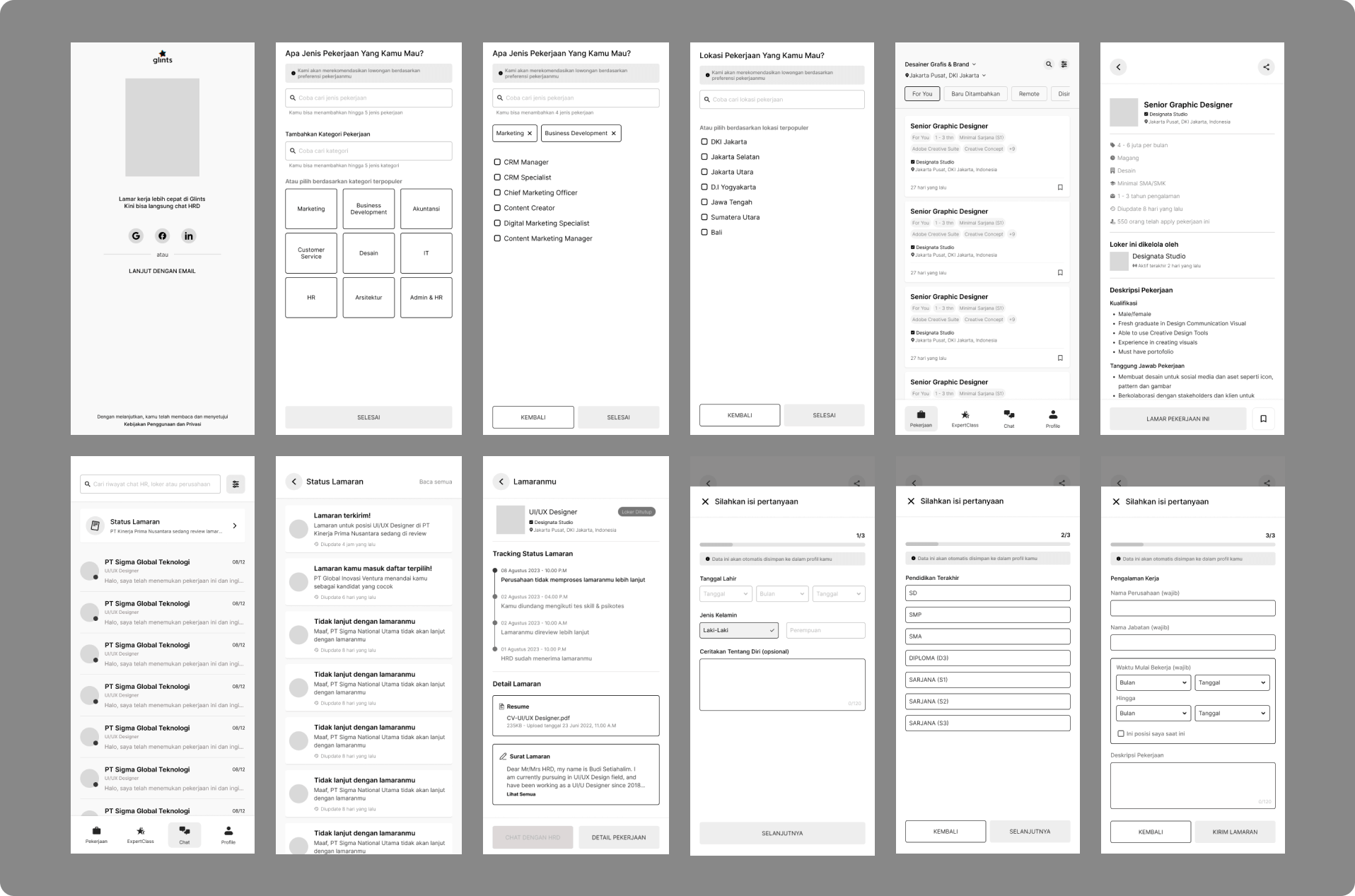
Low Fidelity Prototype
To help design the hi-fi display, I constructed the layout using wireframes.
Design Style
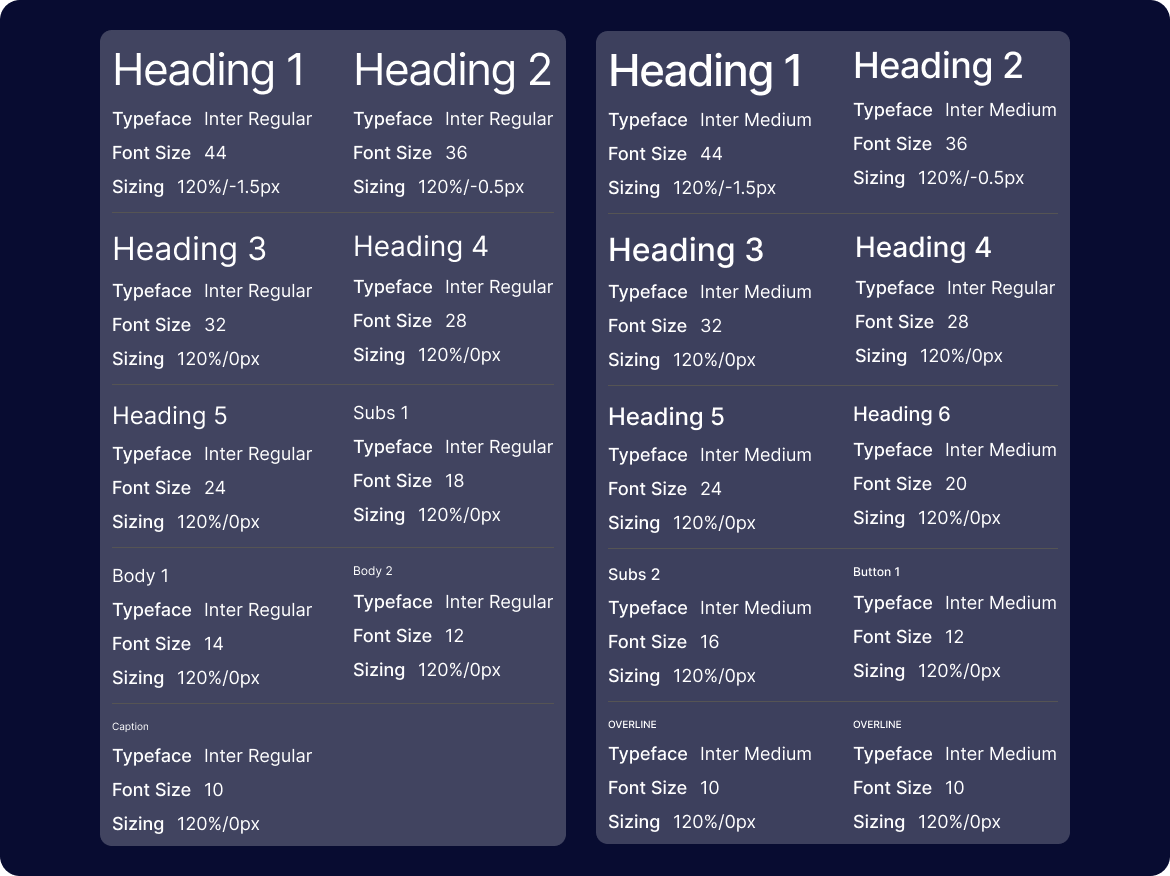
Typography
The font I use in this application is a standard font similar to the font style used in previous applications. Because this application is already running, the font chosen may not be too far from this brand.
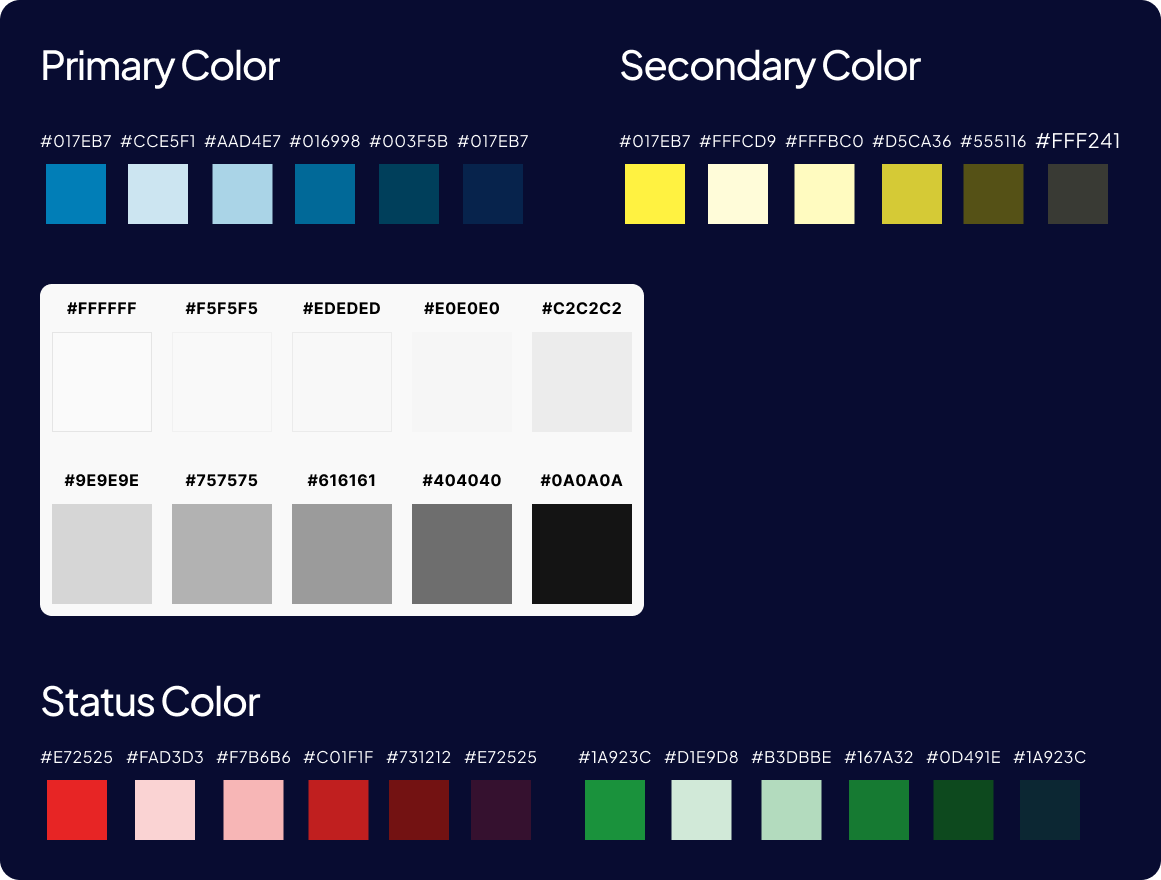
Color Palette
Before beginning high-fidelity design, I determine what colors will be used on the application. This color selection also takes the primary color from the previously defined brand.
Component
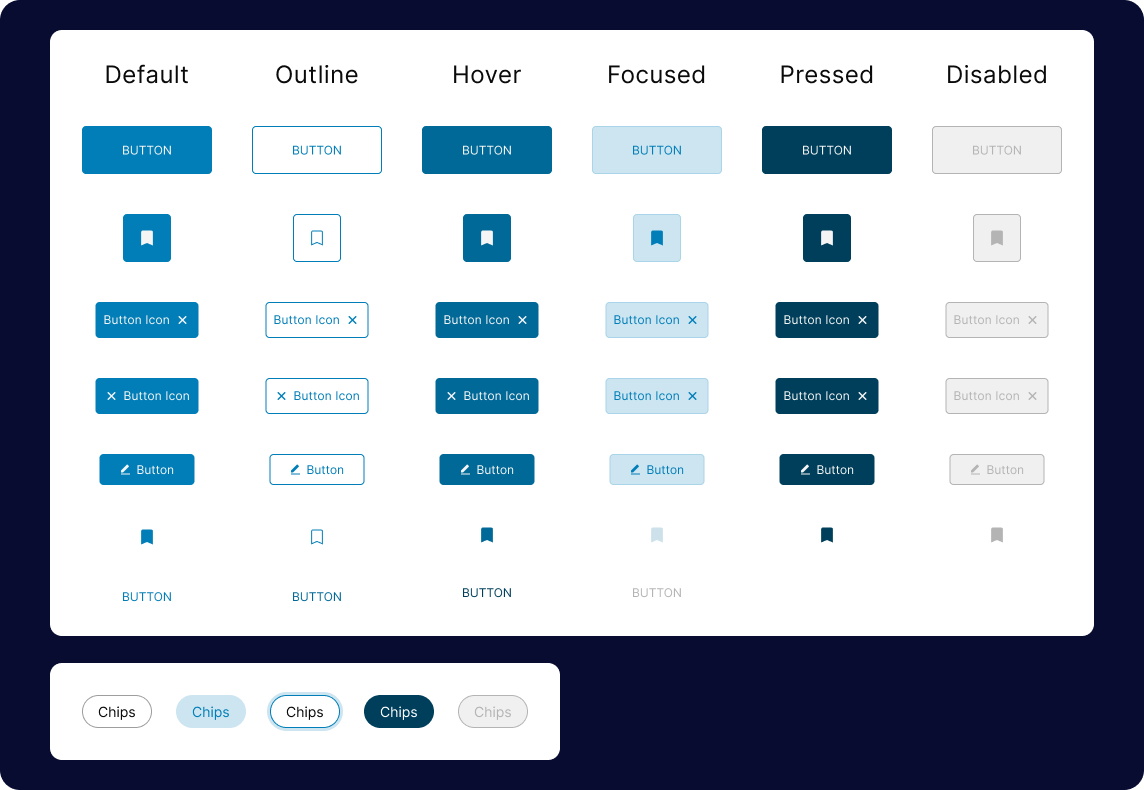
I implemented the following components into the application to provide an overview of the shape and color of the components according to their status. Examples of components could be buttons, chips, image cards, form fields, and other vital components
Hi-Fidelity Design
Homepage
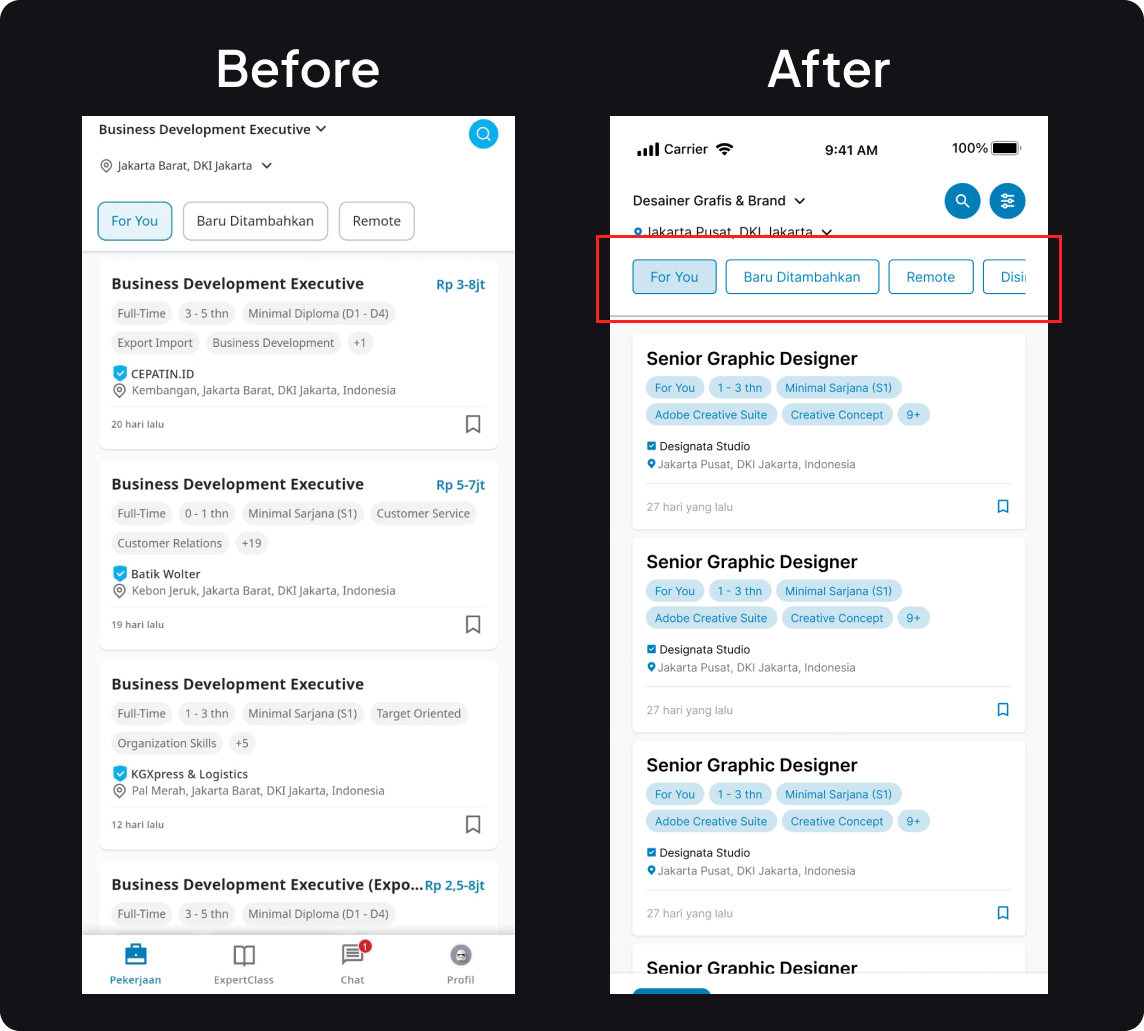
Added a new filter button at the top of the page with the title "Bookmark" and make it slideable
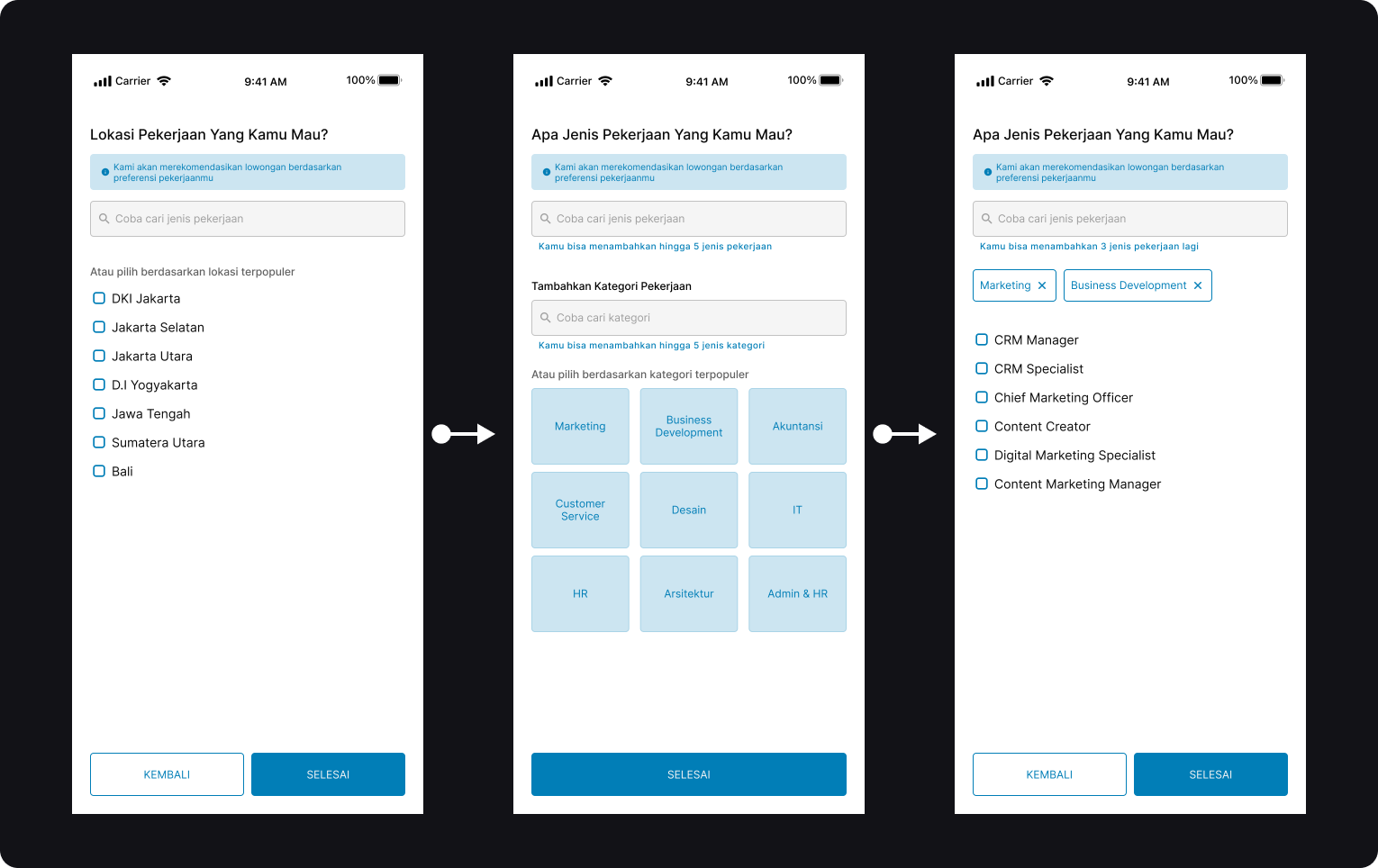
Determine Job Interests
and Locations
For this page, users need to answer some question and it will gather the information about users need in for job vacancy
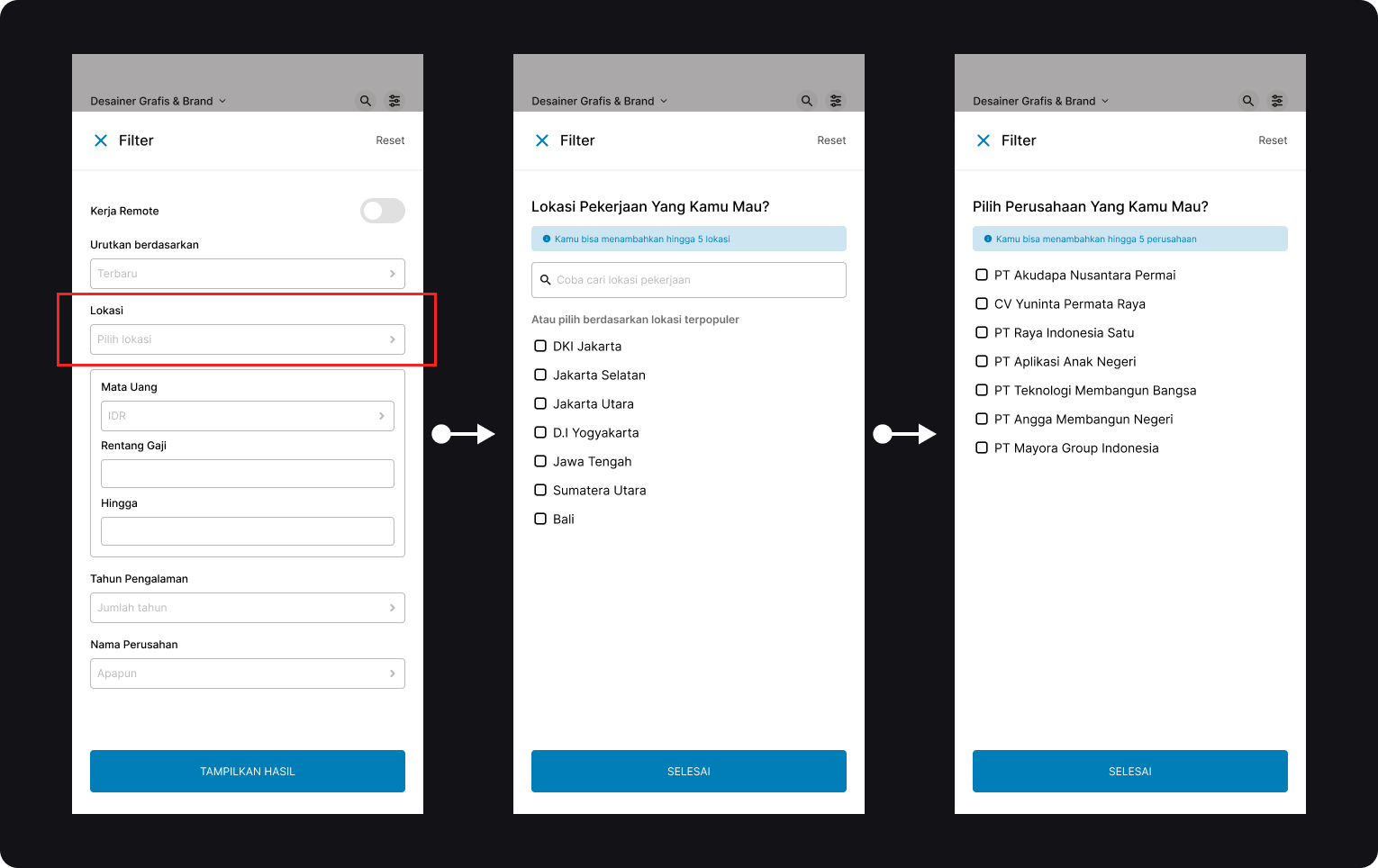
Job Filter
This feature is very useful to use in this application, because users can easily find the type of work that suits their preferences
Job Details Page
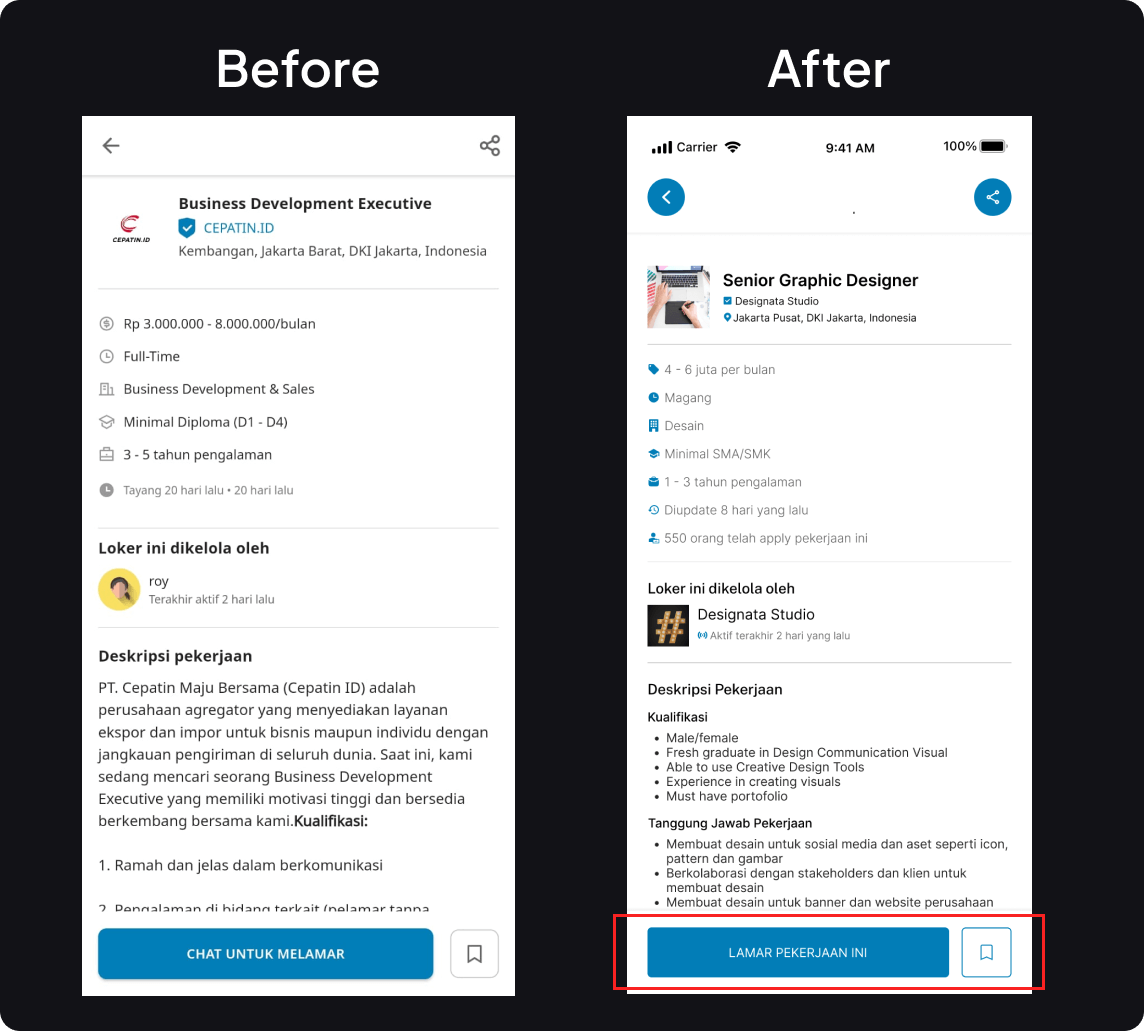
Change copy text for button from “Chat untuk Melamar” to “Lamar pekerjaan ini”. From this button. This copy is used to help the user not to be confused with the copy on the previous version of the button
Chat With HR
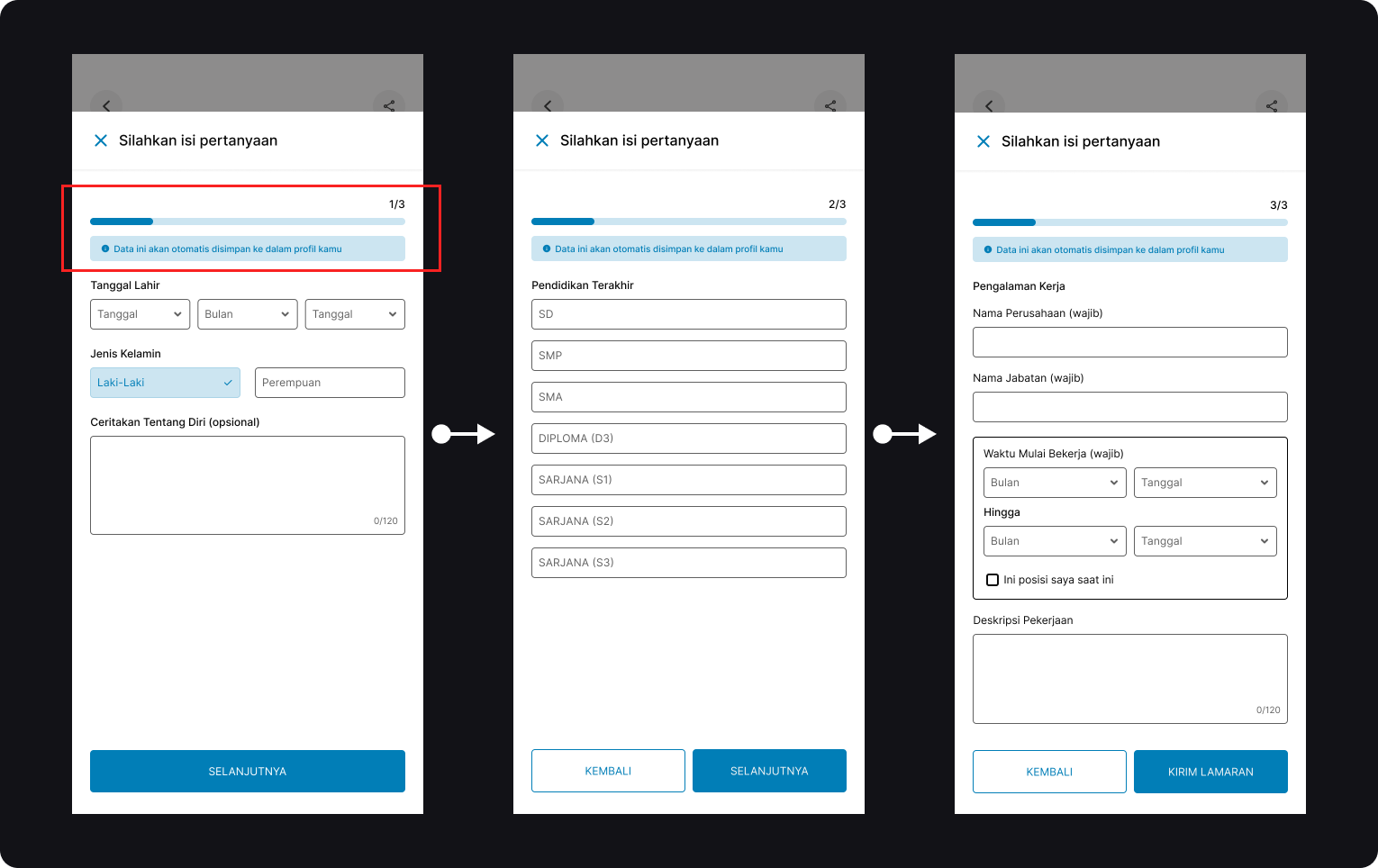
On this page, the improvement is only done for the interface of the filling form. After the user sends the question, it will be updated on the user's profile if it is still not available.
Notification List
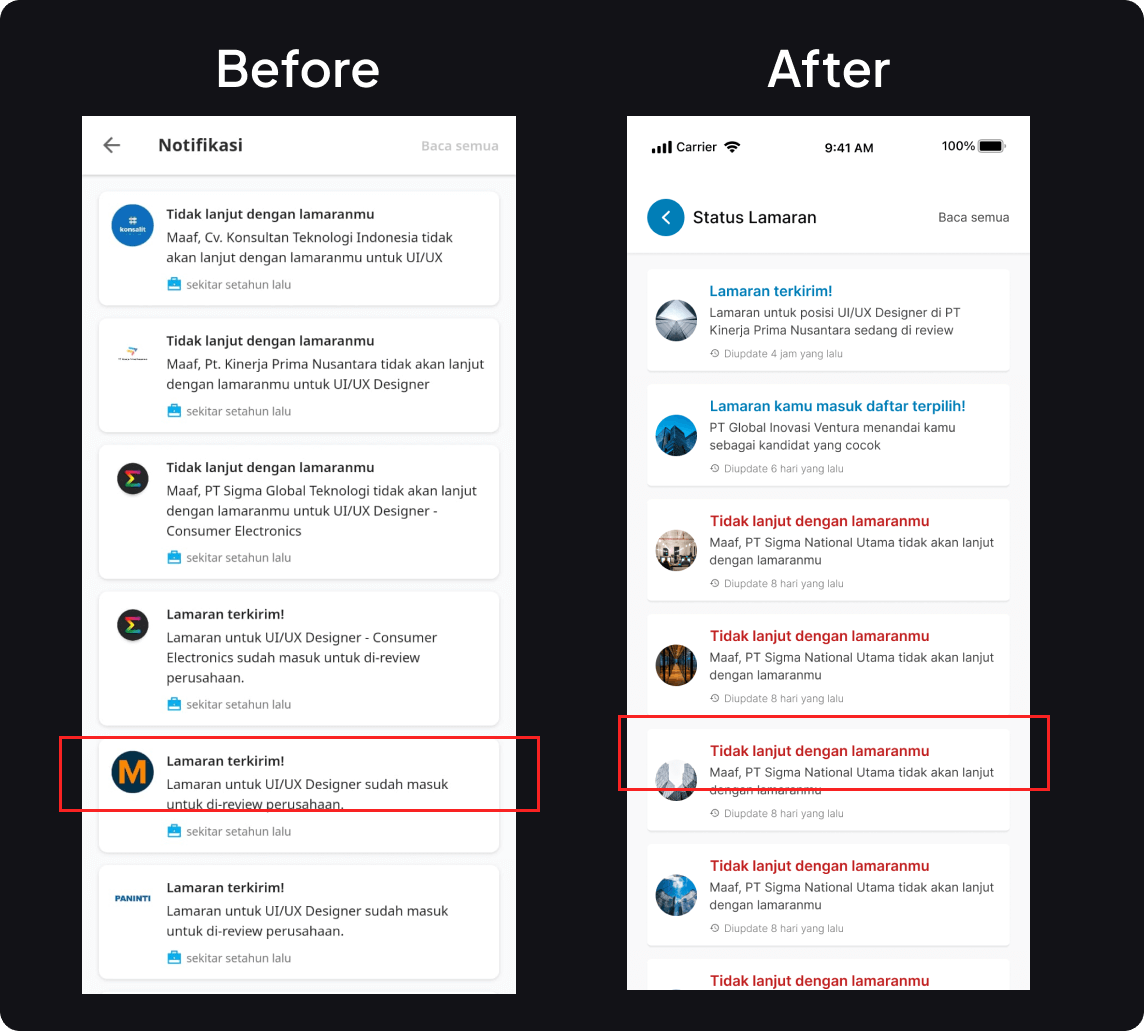
Add and improve text colours for application statuses that have yet to pass to the next stage. This status is used to distinguish between the status of an application that is still ongoing or has ended.
Status Tracking
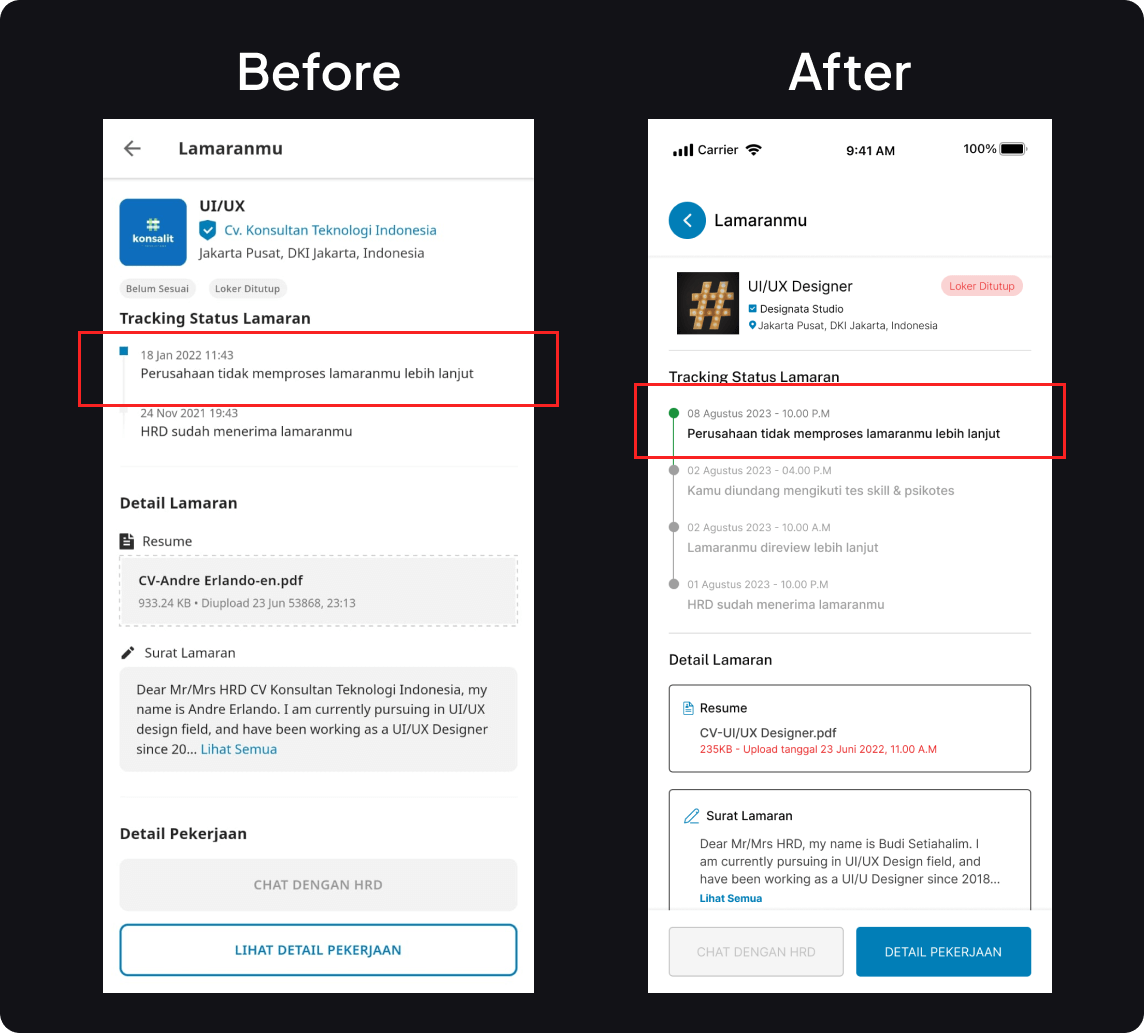
Giving some improvement for application status track and make it more visible for user
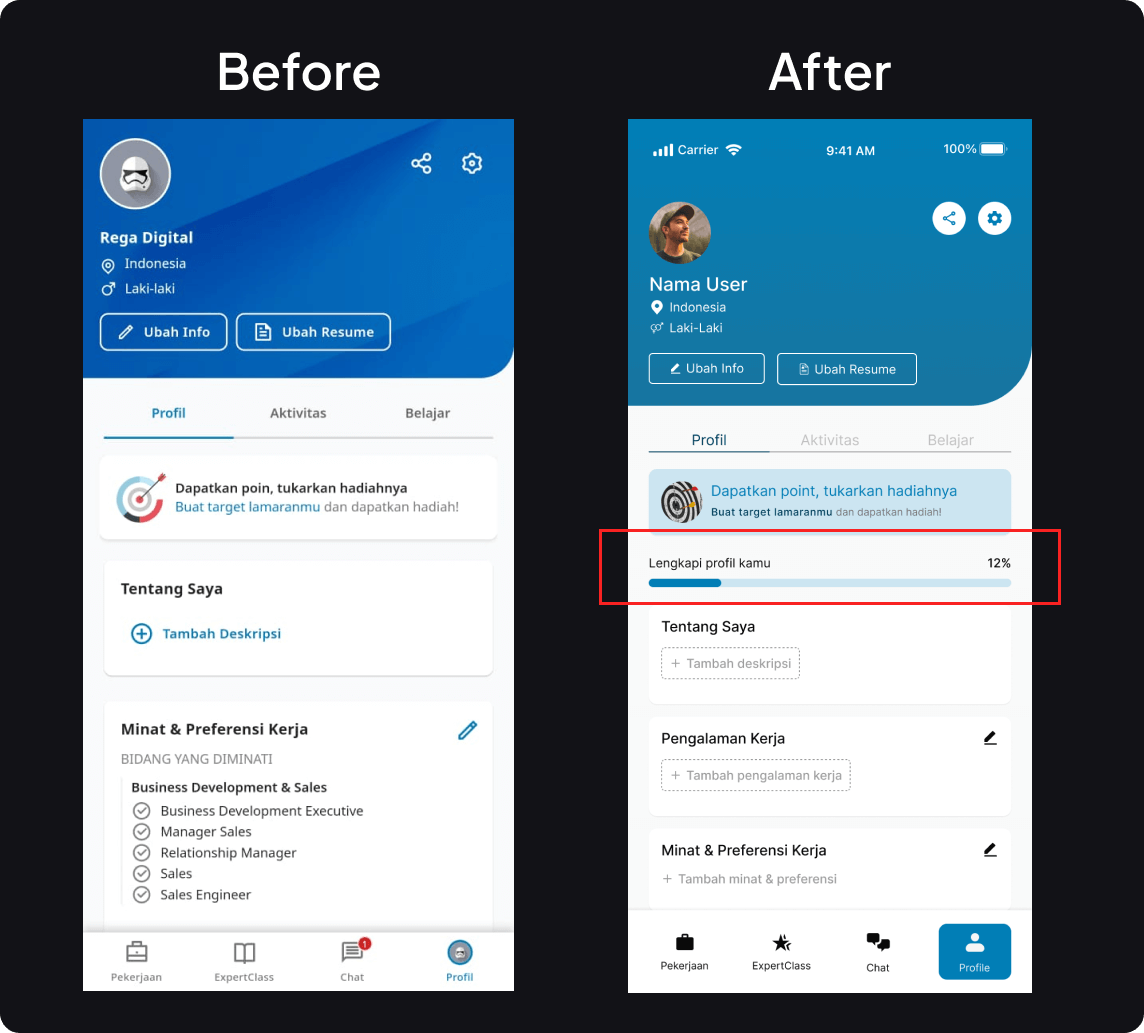
Profile Page
There is a progress bar that provides an explanation to the user regarding how complete the profile has been filled in by the user
User Testing
Interview
Tipe: Moderated
Participants: 3 People
Duration: 5-10 Minutes
Criteria of Participants
24 - 27 years old
Fresh Graduates or Job Seeker
Never used the application but have used a similar application
Task Flow
5 task were created will try to understand how user can register and apply to job vacancy in Glints. This is will give some insight about new improvement in this app
User Insight
There are several improvisations in the application display that make it easier to find jobs and check the status of jobs that I have applied for. but it took quite a long time when I filled out the data before submitting a job application
Agave Yonatan
24 Years Old
Informatics Engineering
Fresh Graduate
The interface of this application is not confusing and I can do the task well. maybe it needs some improvement on buttons or text that is made more legible
Kurnia Dilla
26 Years Old
Finance
Job Seeker
Good application for me who is looking for a job and the tasks given are also not difficult. Hopefully in the future there will be more features that can help job seekers and also fresh graduates
Ericson
26 Years Old
Engineer
Job Seeker
Takeaways
Result
Based on the usability testing results, the Glints Application interface shows that users can complete the assigned tasks correctly. However, some users still need to improve the appearance of the design components. This will be an excellent record to be done in the next iteration
Lesson Learnt
Give Recomendation: Some users who are looking for work want to get job recommendations that match their educational background
Clear Guideline: Users who are just trying the application want clear and easy guidelines when they want to apply for a job