Flash Coffee has grown into a network of coffee outlets spread across several countries, including Hong Kong, Indonesia, Singapore, South Korea, and Thailand. It offers a different coffee-drinking experience with premium coffee and affordable prices. Flash Coffee also uses technology concepts for every product order flow to customers.
Project Overview
Flash Coffee POS (point of sale) is designed to help Baristas and Managers organize sales and manage inventory. This system must be easy to use and provide interconnected real-time data to make sales management more efficient.
Product Requirement Document
The goal was to design a user-friendly and efficient Point of Sale (POS) system for Flash Coffee to help manage inventory, sales, and barista activities. The system should be easy to navigate and provide real-time data for efficient management.
Target User
Barista's Required features
View reports on the dashboard related to sales, products and inventory.
Create new orders according to customer wishes and monitor all orders
Monitor product and material inventory and create purchase orders for those with insufficient stock.
Check-in on the system to be monitored by the manager
View the list of products ordered by customers and make report daily
Manager's Required features
View reports on the dashboard related to sales, products, inventory, baristas, customers, and outlet sales performance
Add new menus grouped by category and monitor uploaded menus
Monitor stock in inventory and can update, request and delete stock on the list
Manage the schedule for the barista on duty and also monitor the work performance of each barista
Access more detailed sales and outlet performance reports on the report page
Add, edit and delete promos and discounts and monitor their performance
Add, edit and delete the list of baristas on duty at the outlet
Download data for all types of reports available at the outlet
Comparative Research
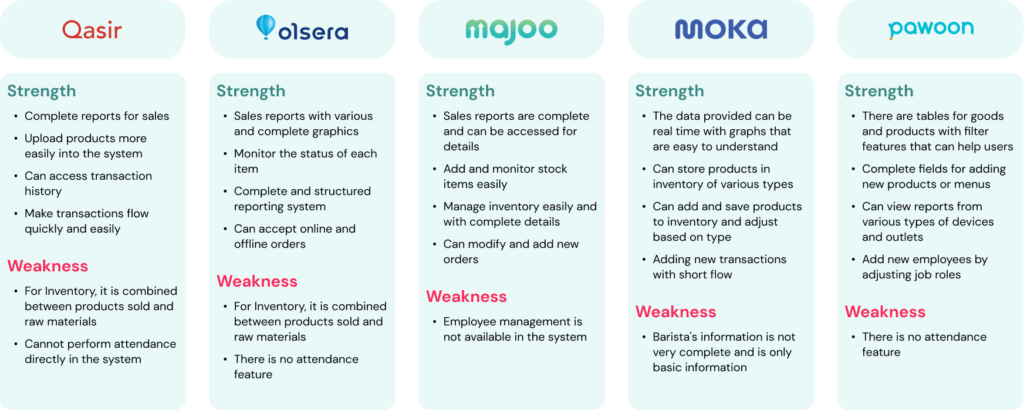
To see and compare the features created in this system, several examples of competitors with almost the same features or products are taken. Competitor products were also taken, which are often used by baristas or coffee entrepreneurs in general.
User Interview
To gather information and input about this point-of-sale system, user interviews were conducted directly with the barista and manager, who were asked several questions about the POS system currently used in the outlet
Question List for Barista
1. How many years of experience using POS applications?
2. Does it take a long time to understand the POS system?
3. What types of reports can baristas see?
4. What actions are taken when stock decreases?
5. What if the barista wants to take attendance?
Question List for Manager
1. What data is needed on the dashboard?
2. Can the manager handle several outlets?
3. What to do if inventory stock decreases?
4. How do you manage the barista on duty?
5. What data needs to be prepared to add a new menu?
User Persona
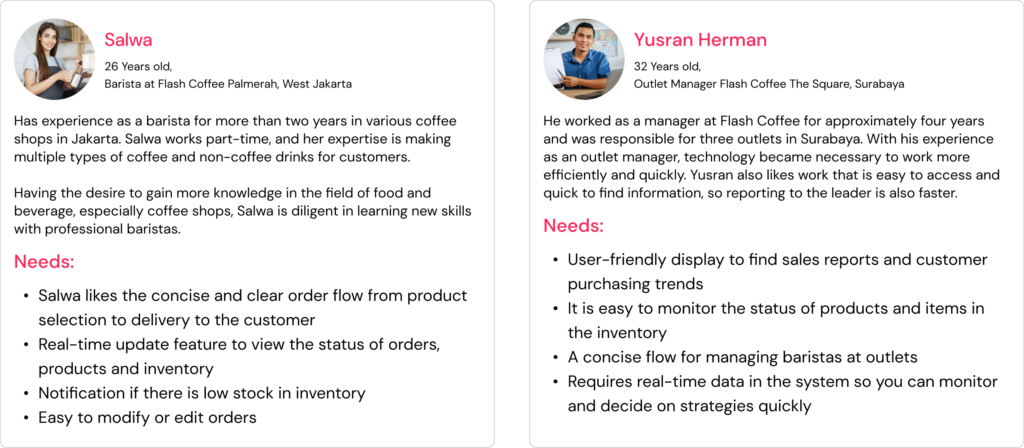
User persona selection is utilized to identify and address the specific needs of each user type. In this project, I designed interfaces for two distinct personas: Barista and Manager. Therefore, the user experience is tailored to two categories: Barista Users and Manager Users.
Information Architecure
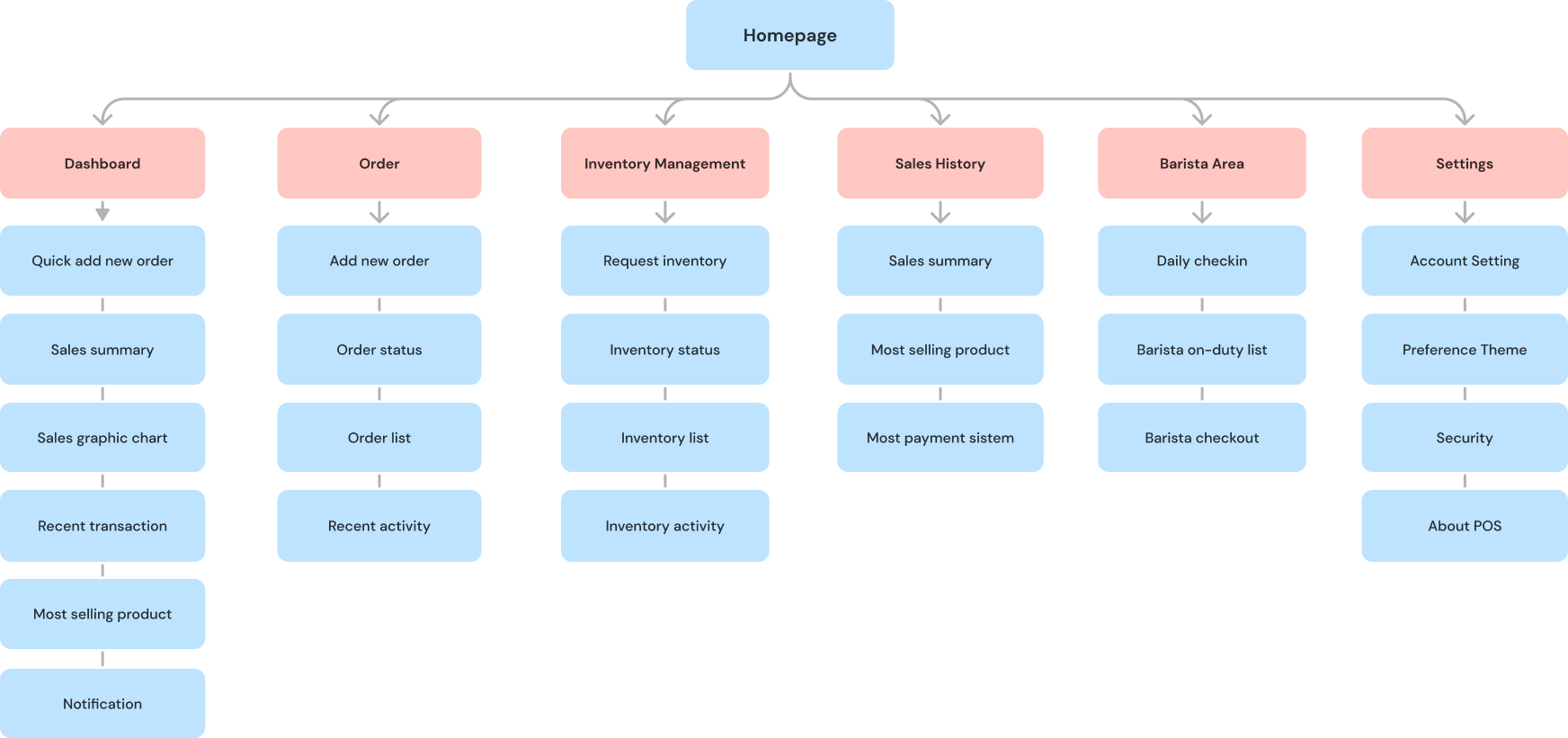
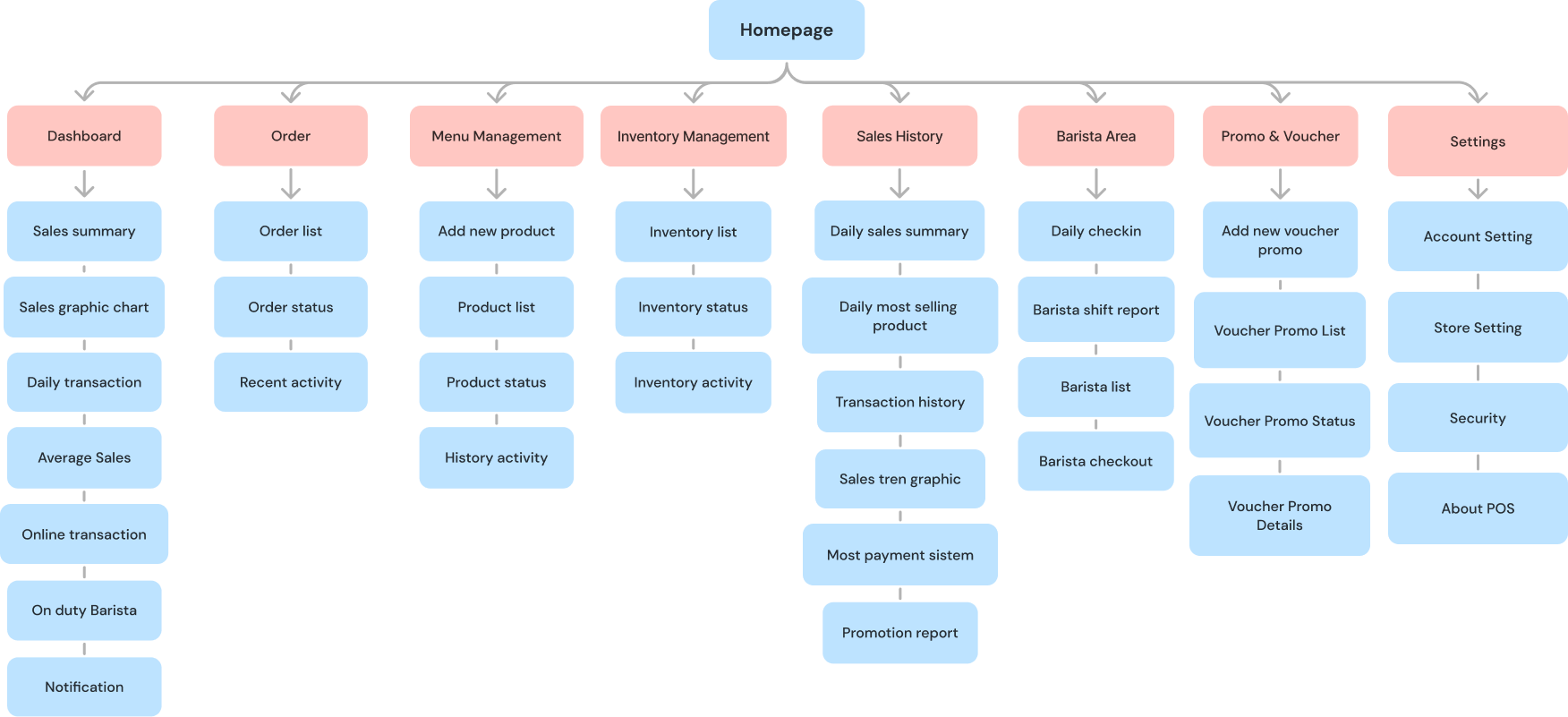
Information Architecture is divided into two user types: Barista and Manager. This feature will ensure the page structure is logical and tailored to each user's needs.
Barista POS - Tablet
Manager POS - Desktop
User Flow
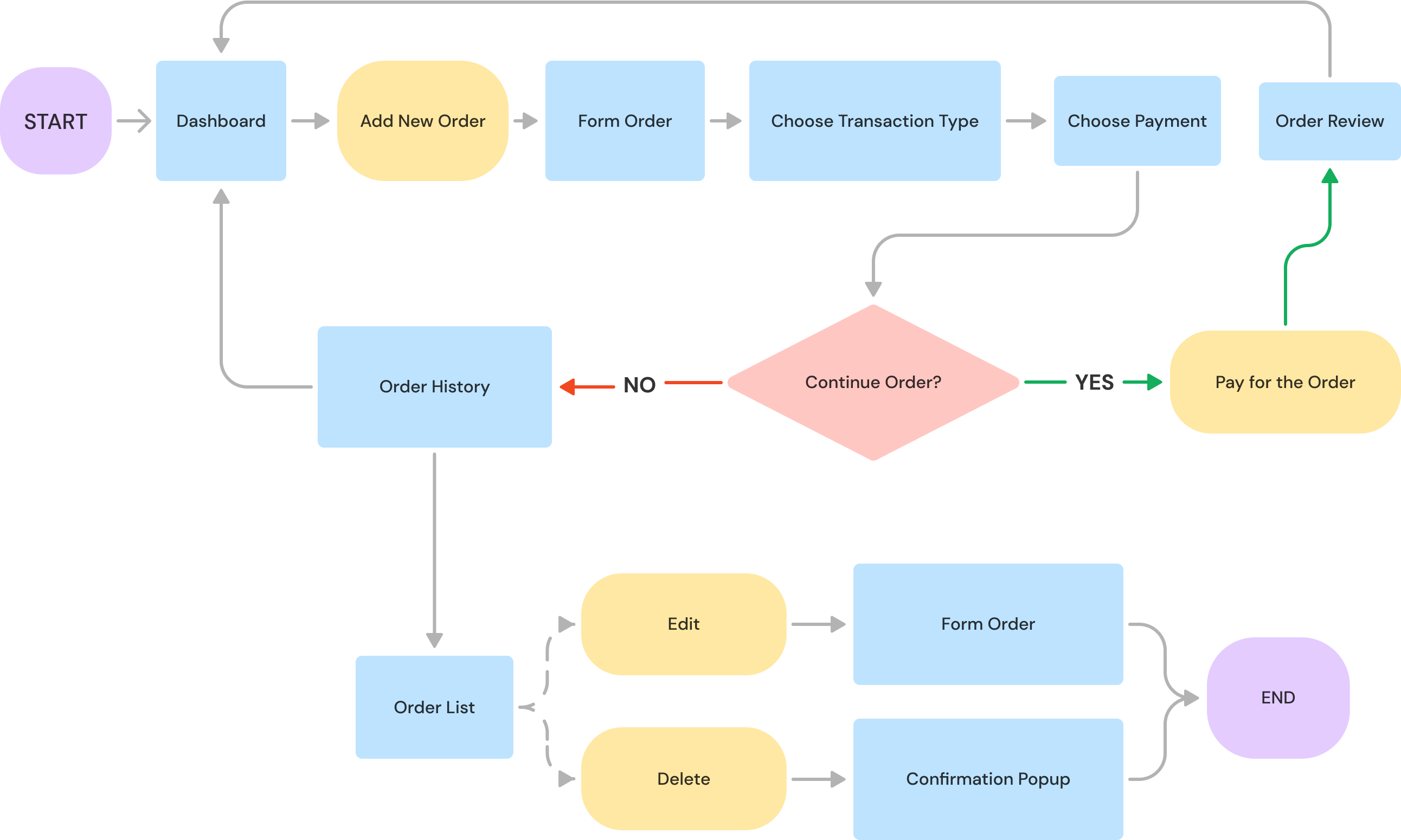
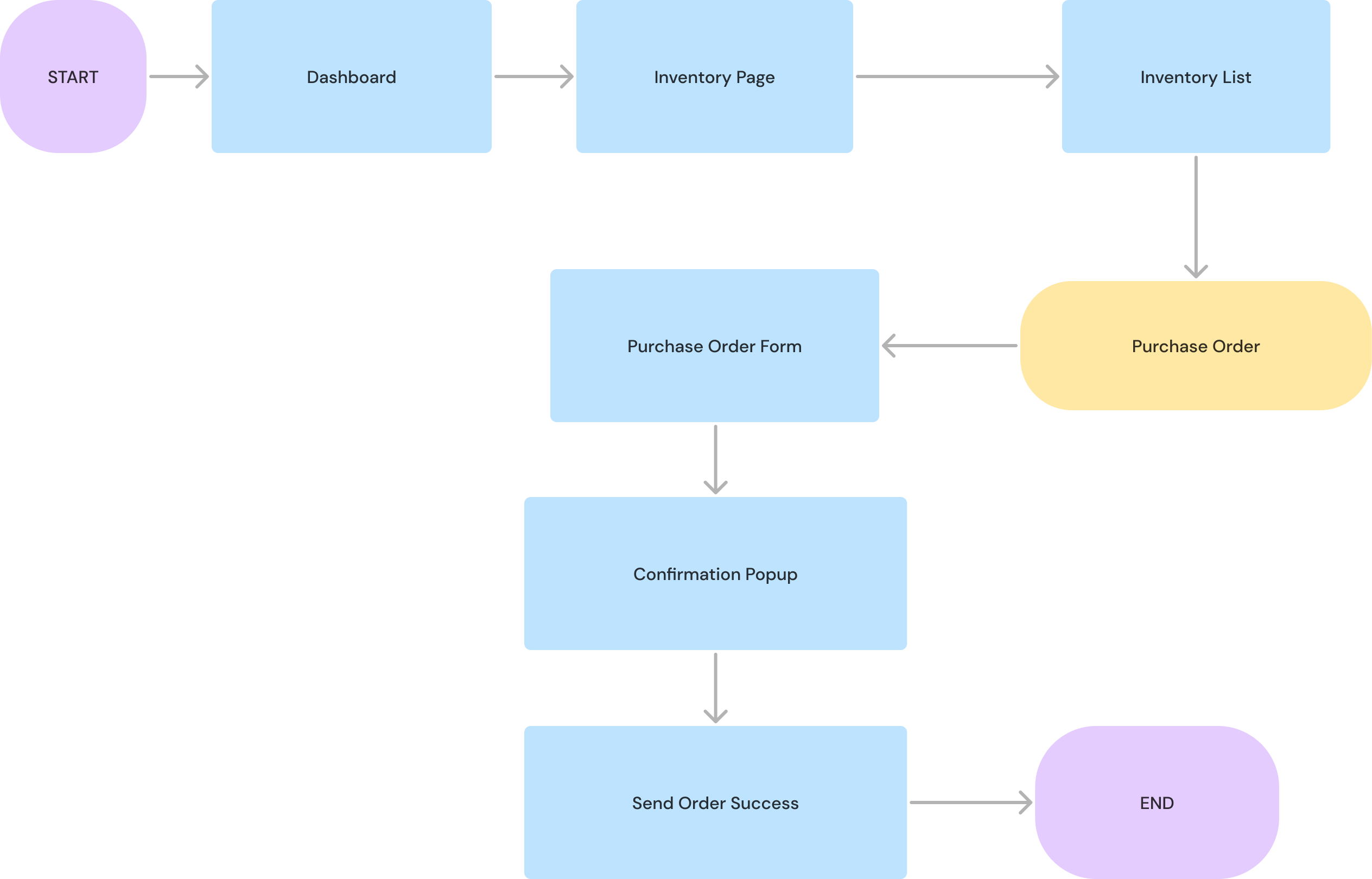
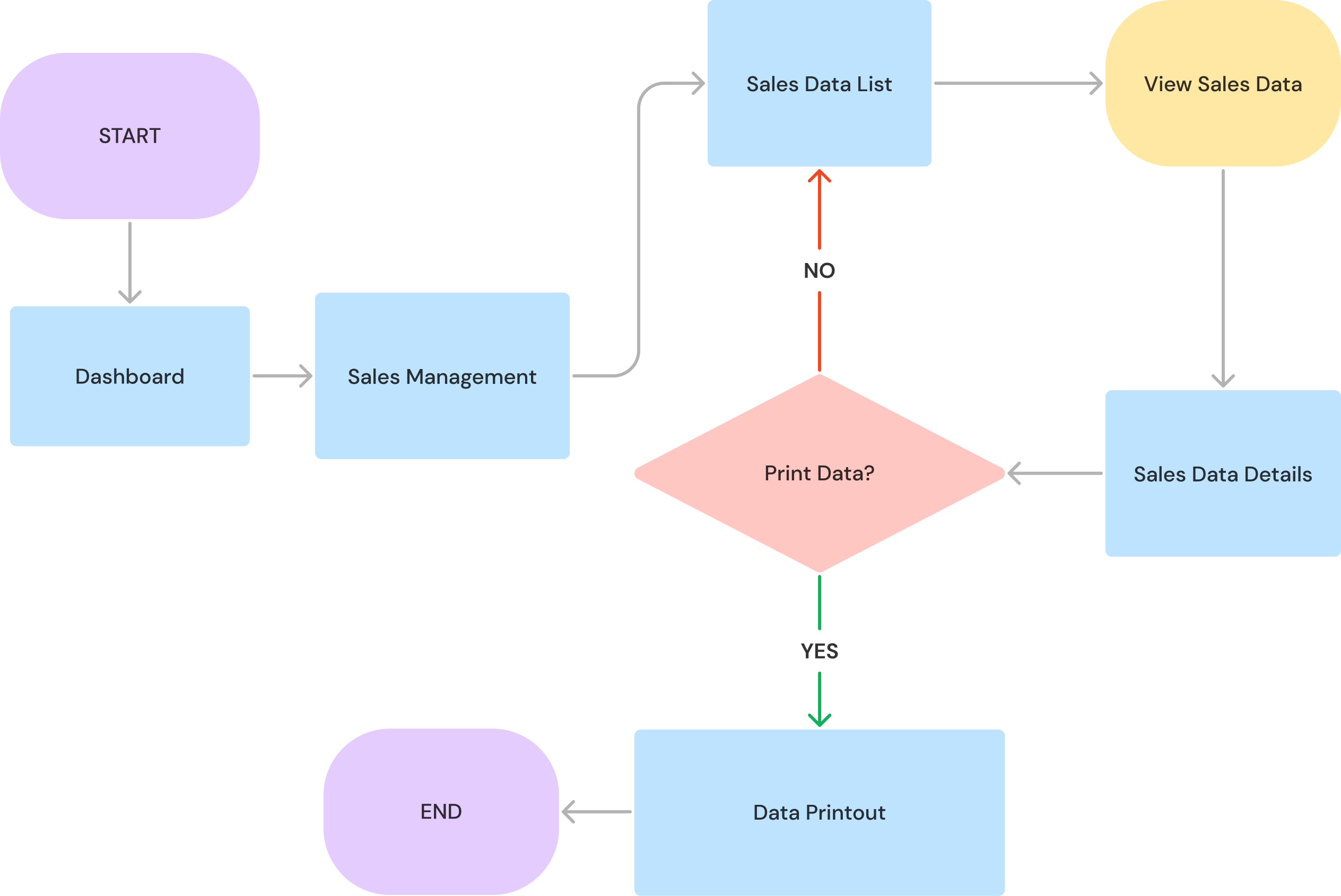
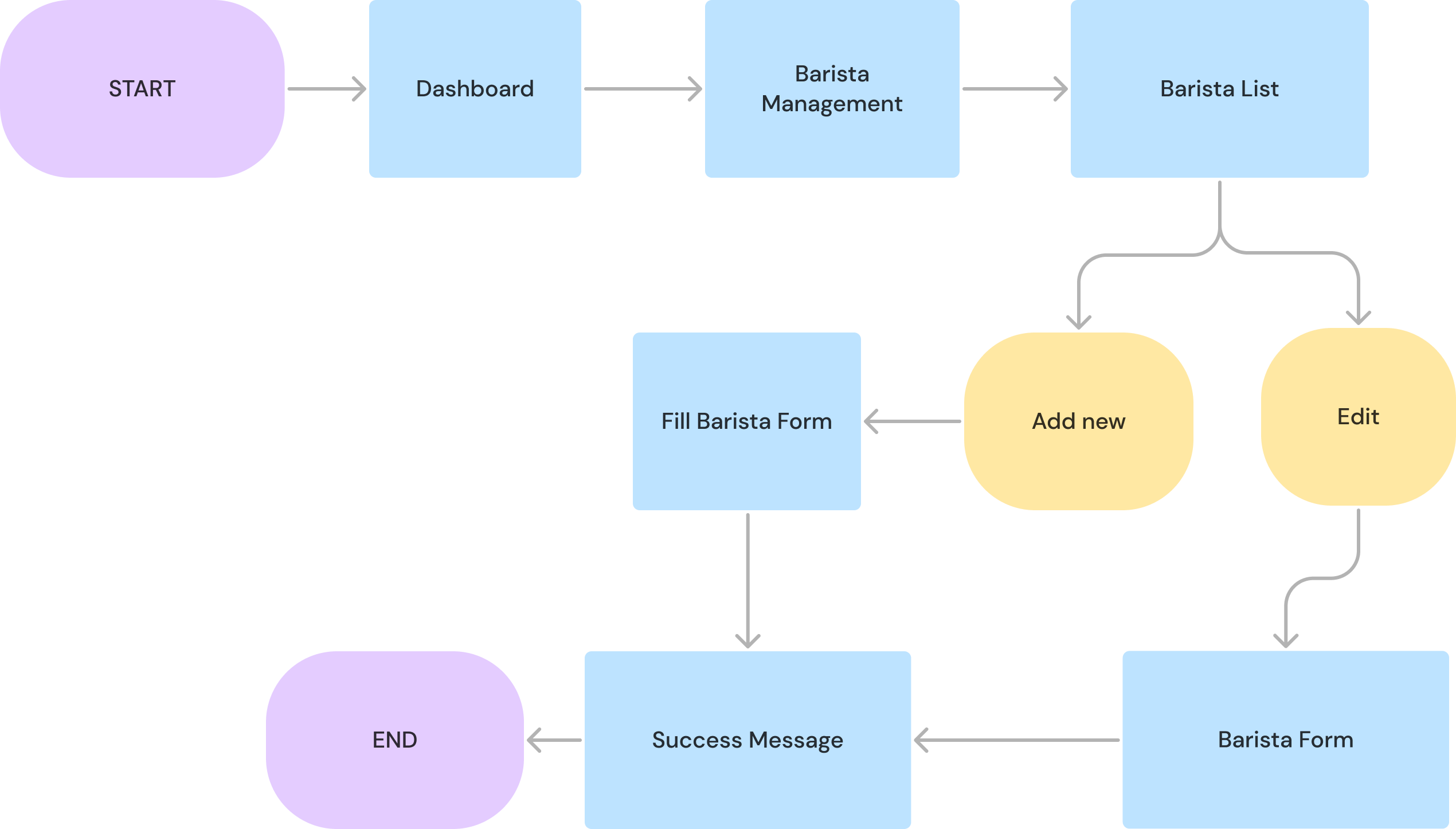
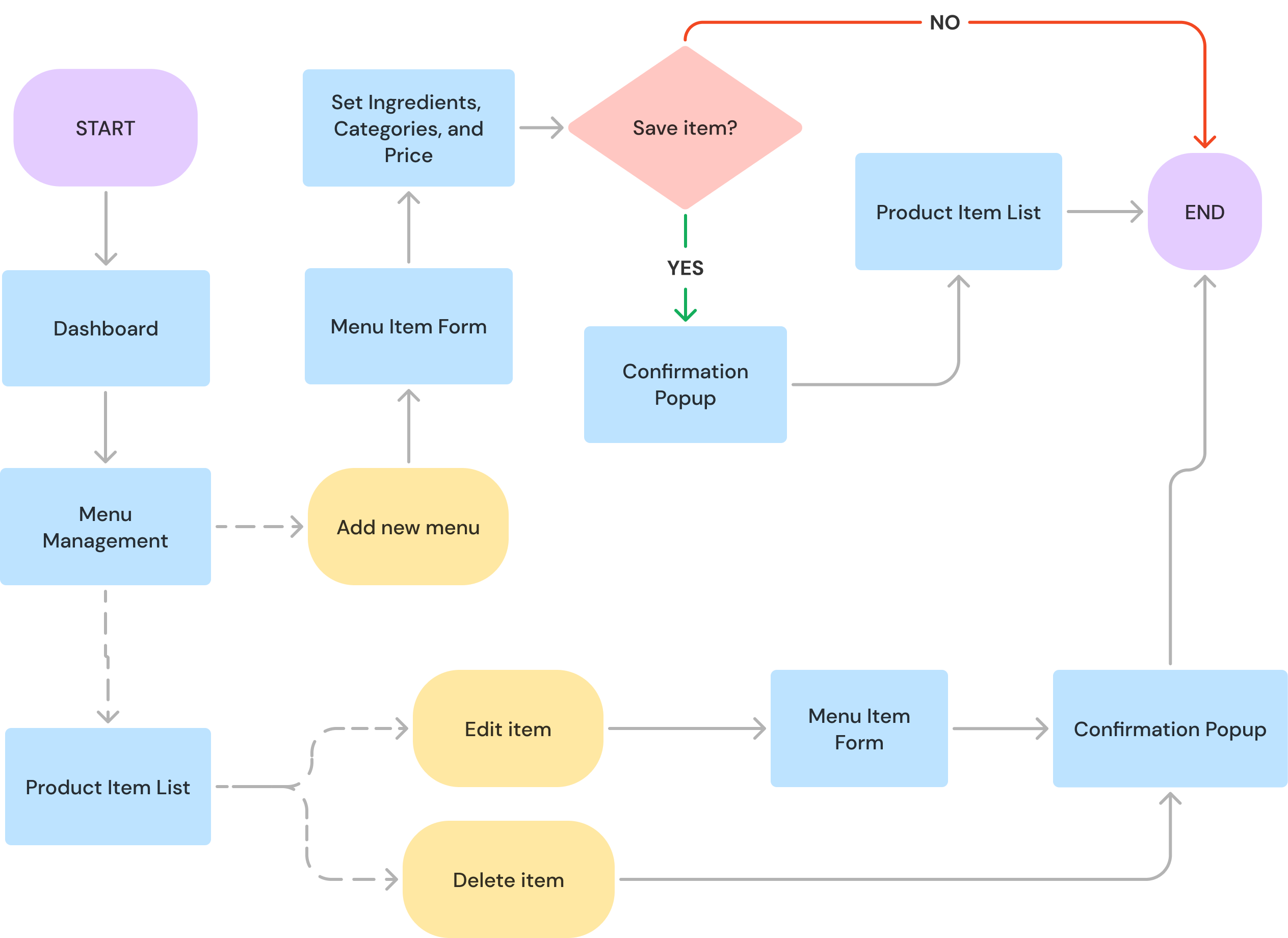
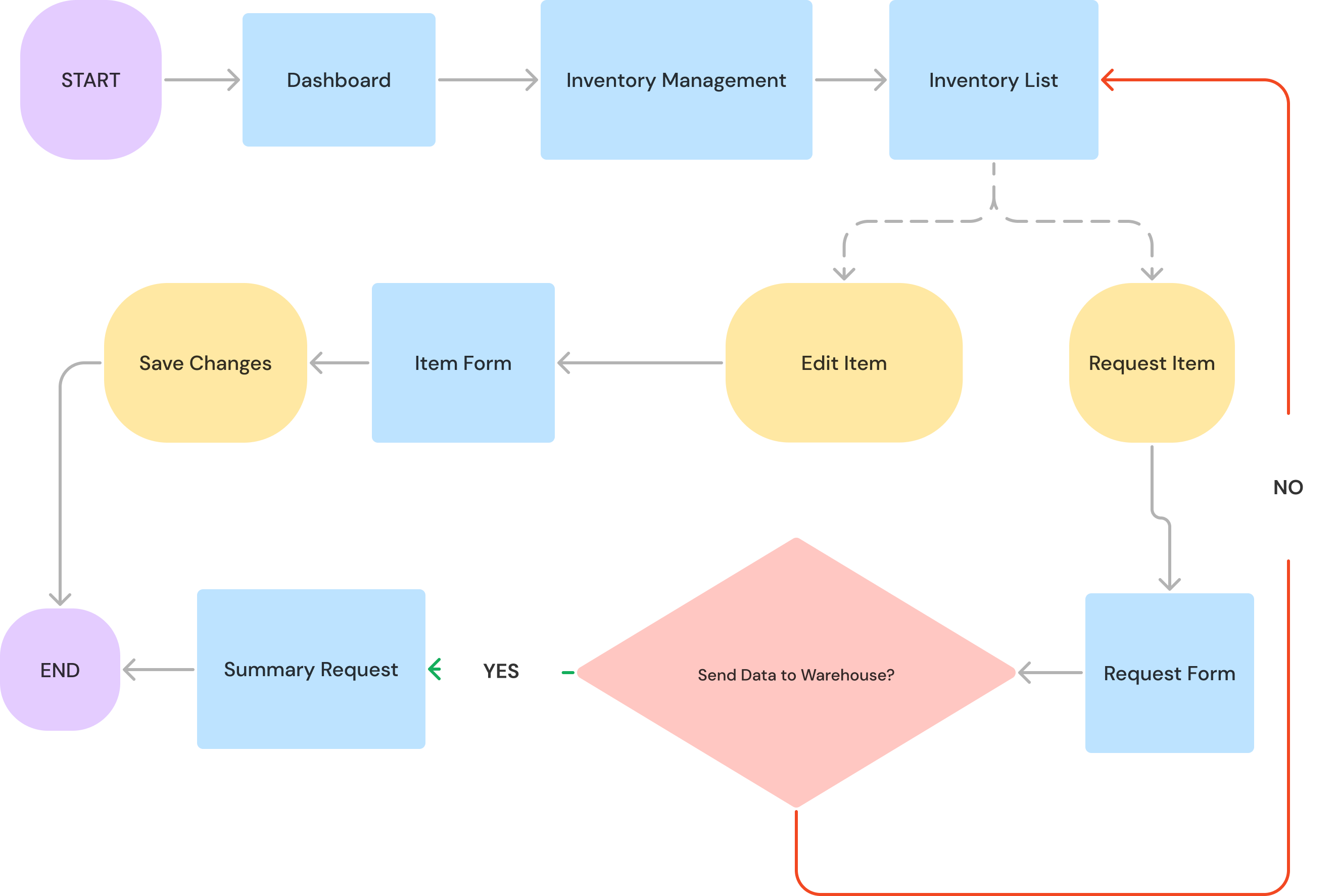
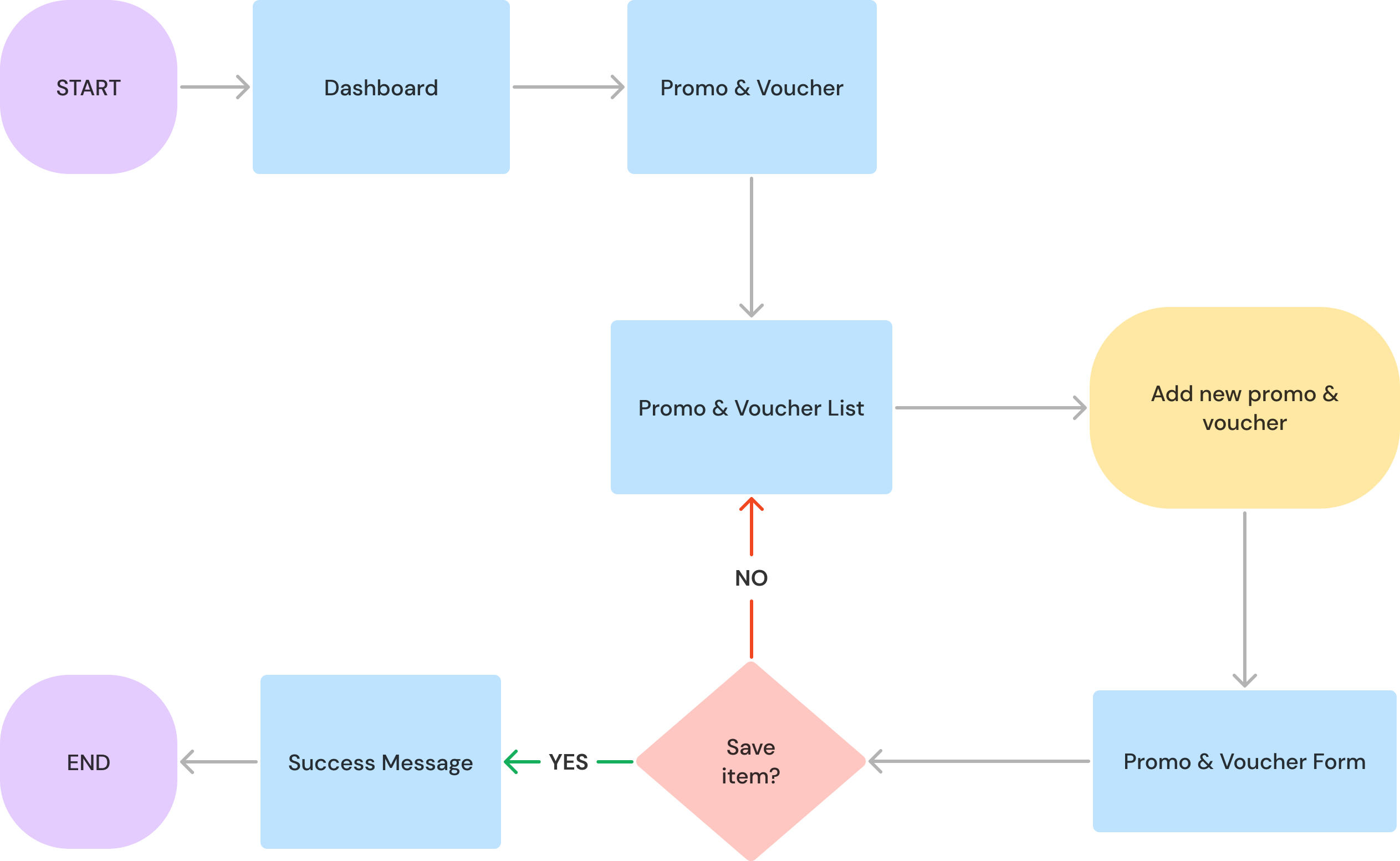
A user flow is created for each main feature to understand how users navigate through different pages or features in an application or website. It can help identify which features should be developed first.
Add Order & Management Order - Barista
Inventory Management - Barista
Sales Management - Manager
Barista Management - Manager
Menu Management - Manager
Inventory Management - Manager
Add Promo & Voucher - Manager
Design Style
Despite its complex design and numerous features, the interface's elements, such as color, typography, icons, and components, are consistent throughout. This can help users feel comfortable and familiar with the interface, avoiding confusion from inconsistent visuals.
Typography
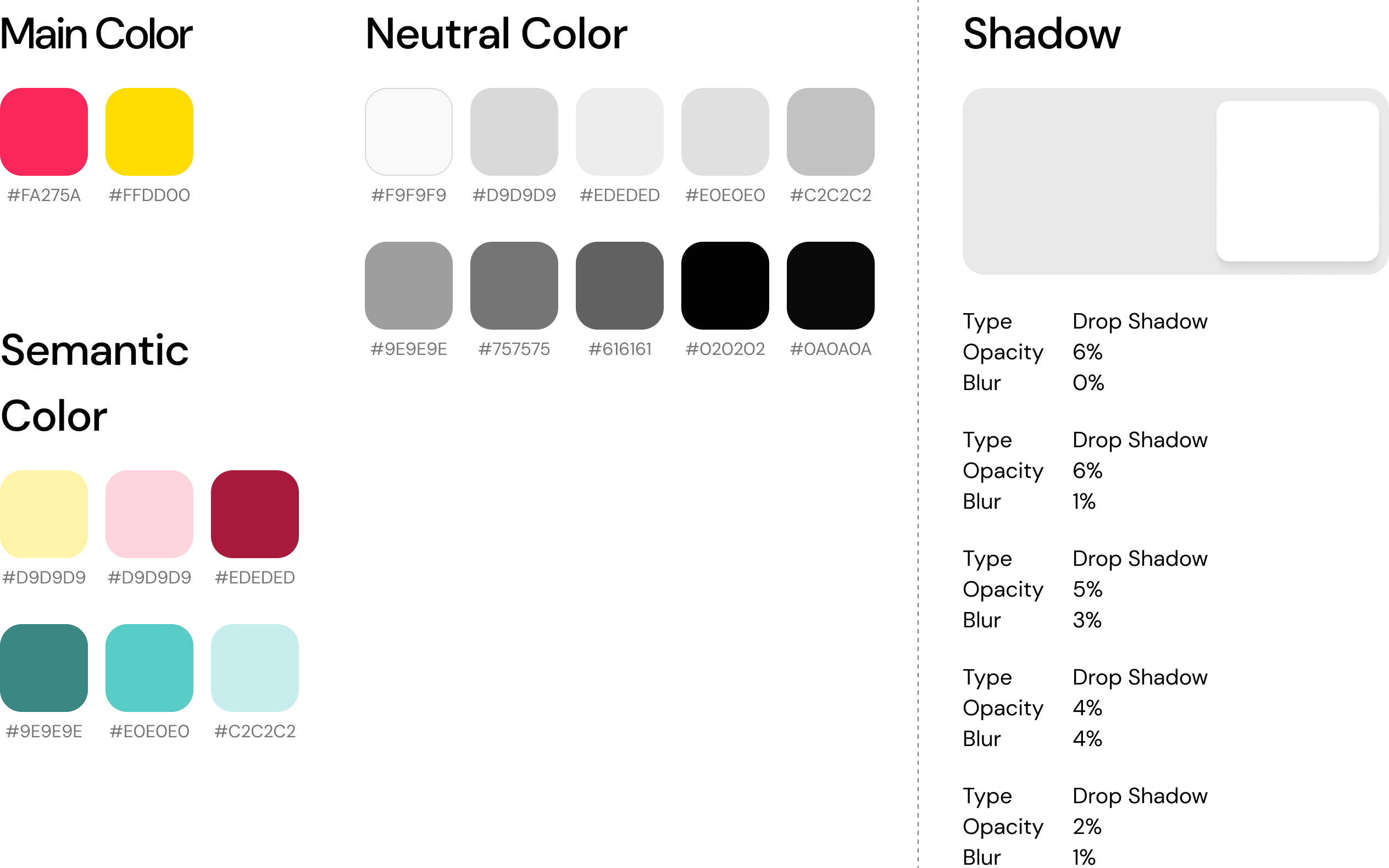
Color System & Shadow
Icon
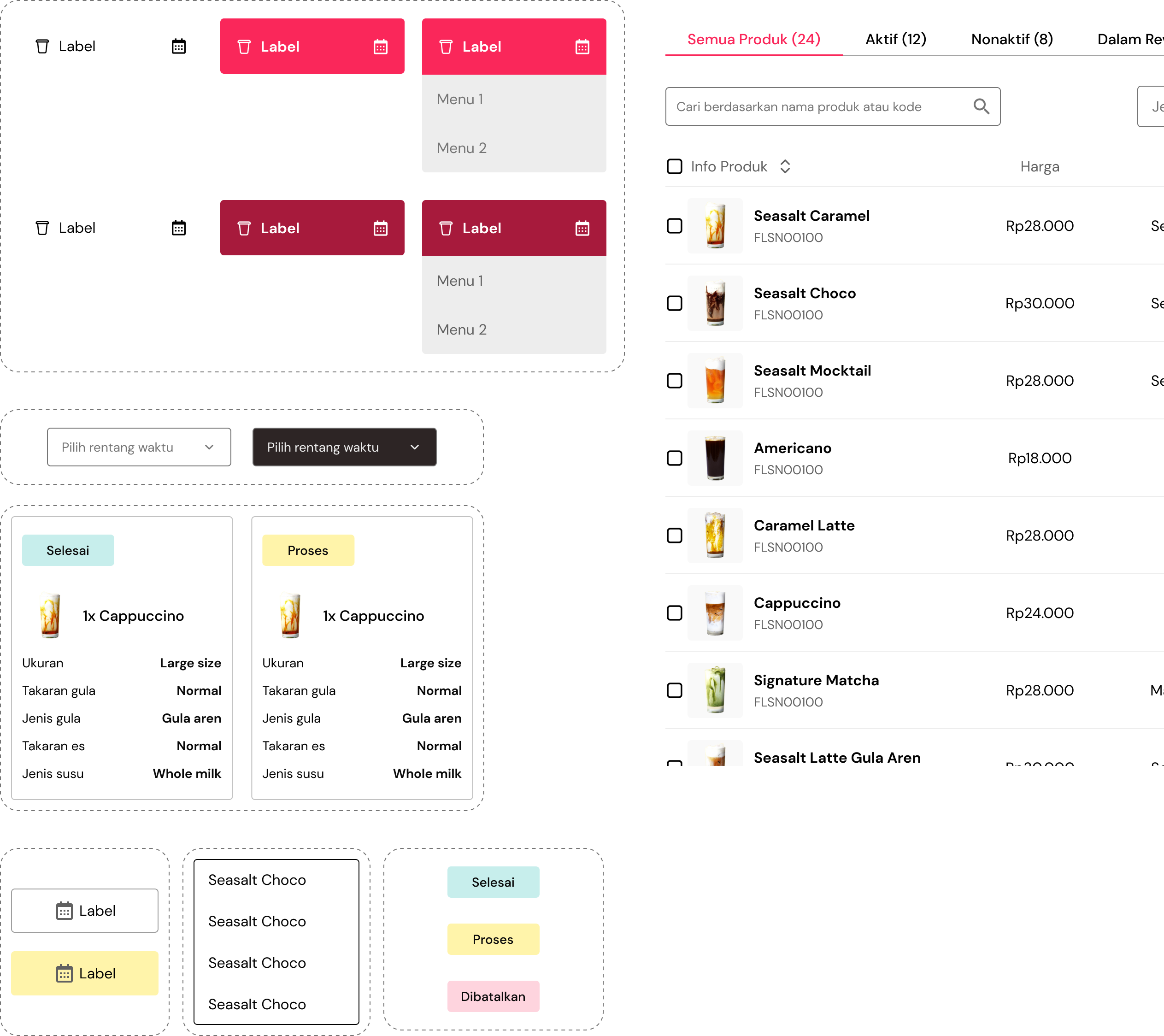
Component
High Fidelity Prototype for Barista User
Following an in-depth analysis of the user's needs, I developed a high-fidelity design incorporating the chosen color scheme and typography
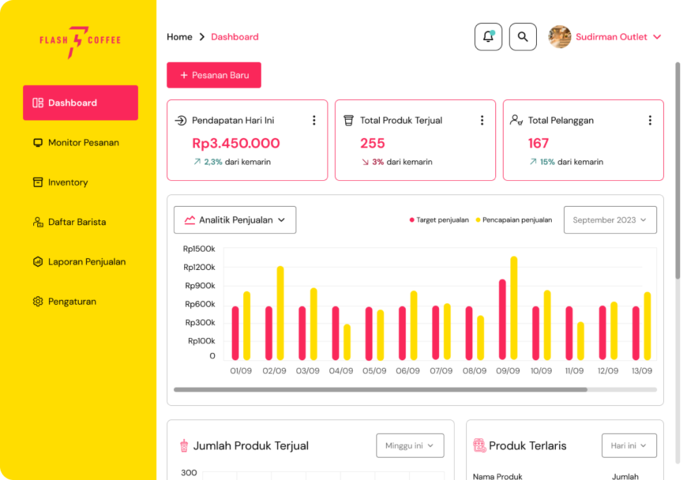
Barista Dashboard
The dashboard on the barista provides accurate time data that can help the barista monitor activities at the POS. It is essential to include the data on this dashboard so that baristas can quickly see the data they need
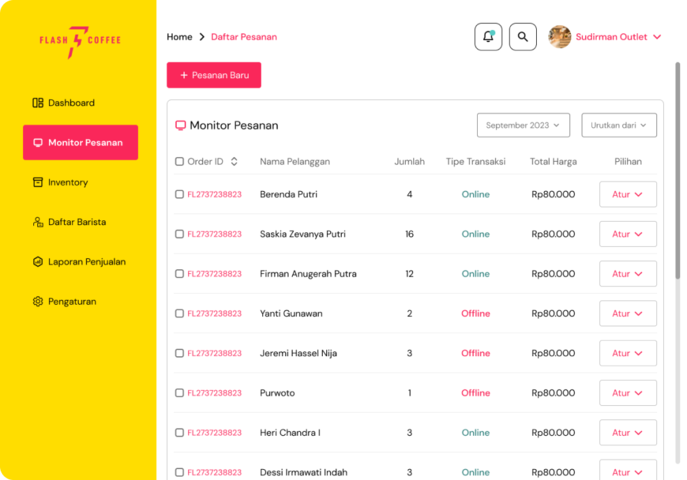
The order list table on this page allows you to monitor the list of orders at the POS. Baristas can also filter and sort orders by time. Through this page, Baristas can also add new orders.
Order Detail
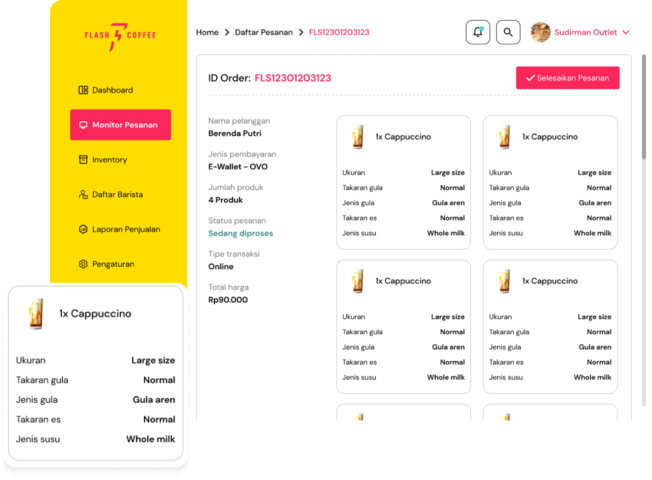
The Barista will be given this information in order to see what products the customer has ordered. This page includes product details and details regarding customer names, payment methods, and order status.
Login & Checkin
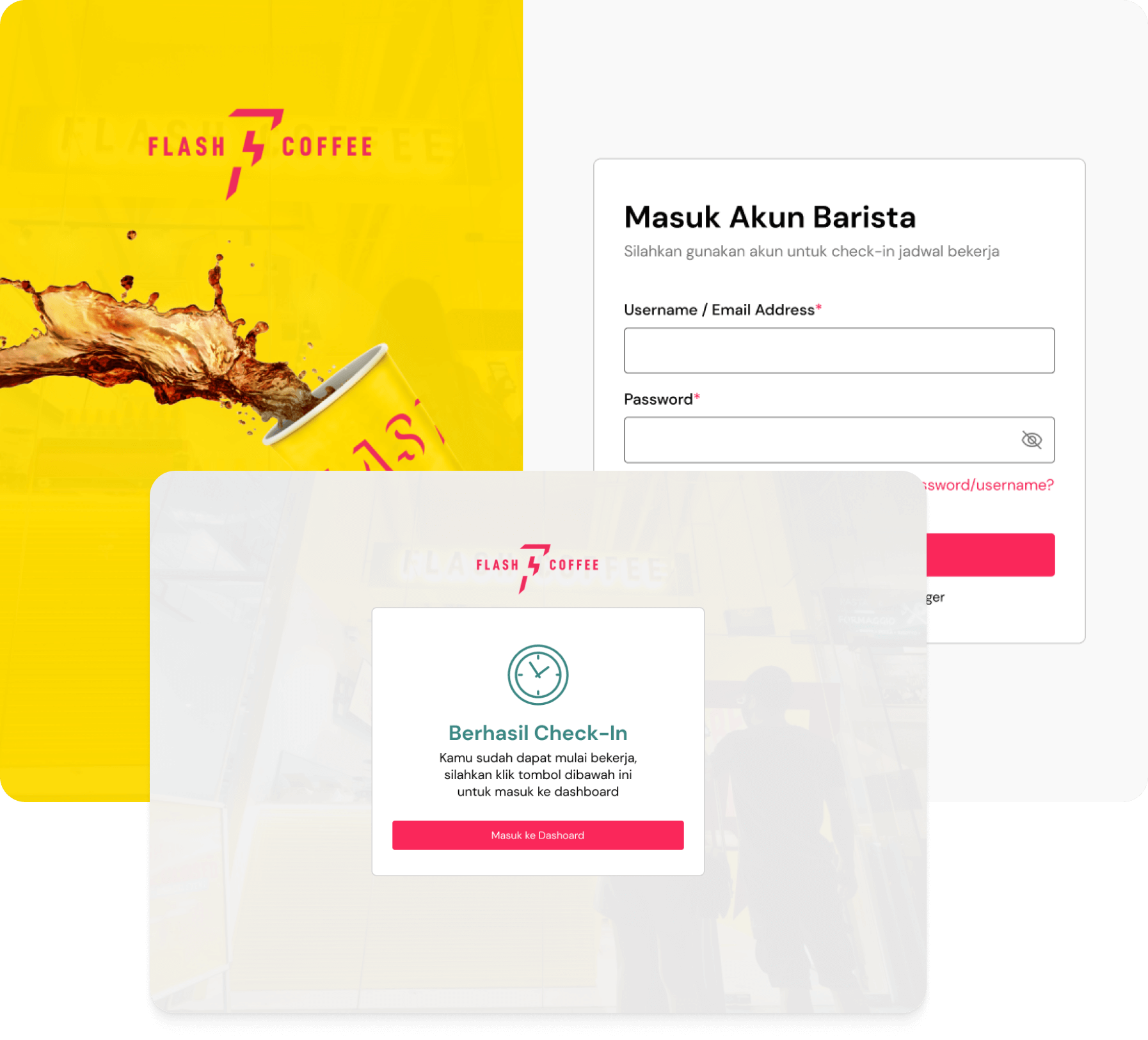
If a barista wants to start a shift, they must log in to the POS system and check the work schedule. If the system reads that the barista type is Cashier, a button to go to the dashboard will be displayed.
Inventory List
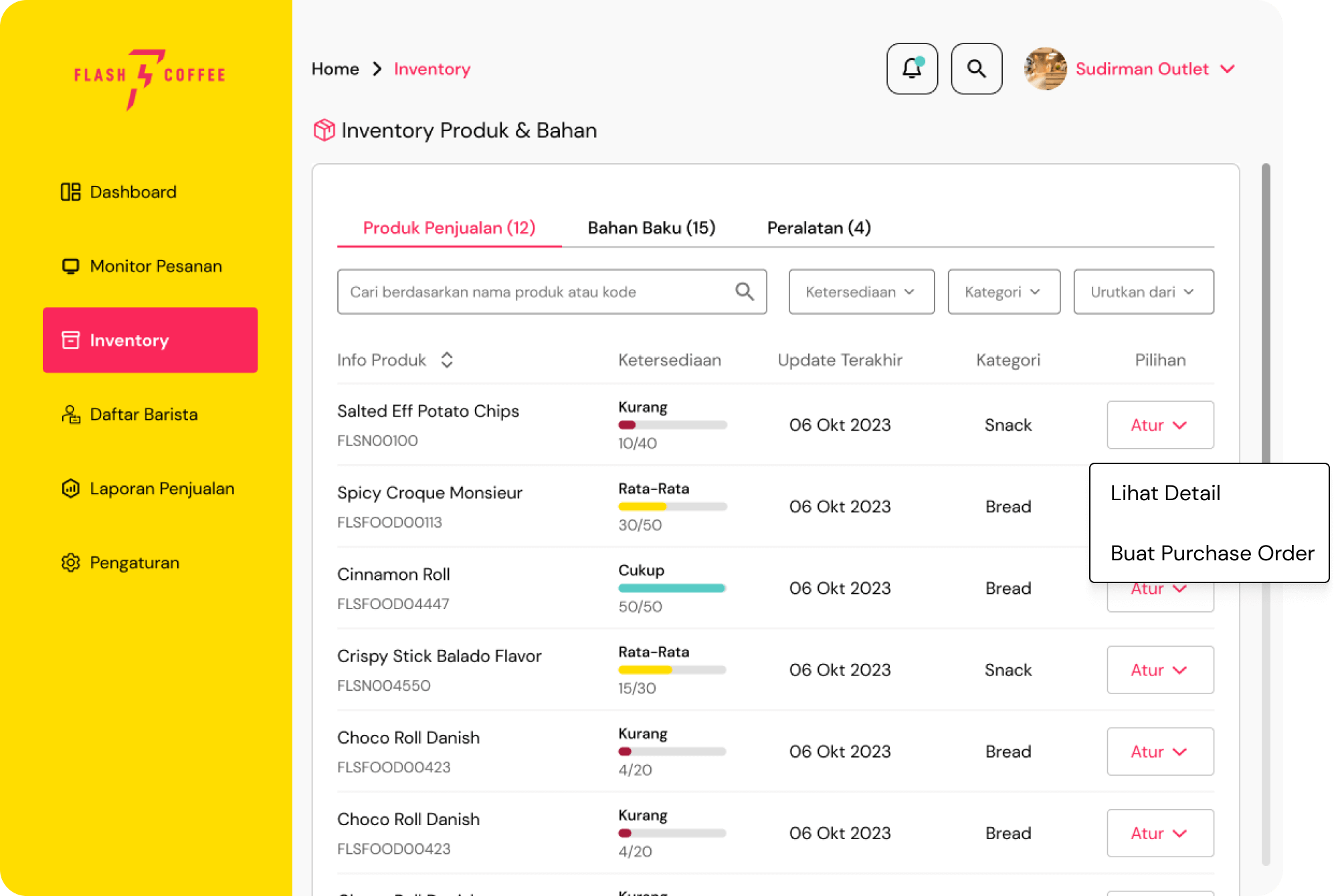
According to the brief, an inventory menu lists the ingredients and items available at the outlet. Therefore, this page includes a table listing the products available at the outlet, complete with real-time status updates.
Barista also filters based on type, category, and current availability. This feature helps baristas quickly find items.
Inventory Detail
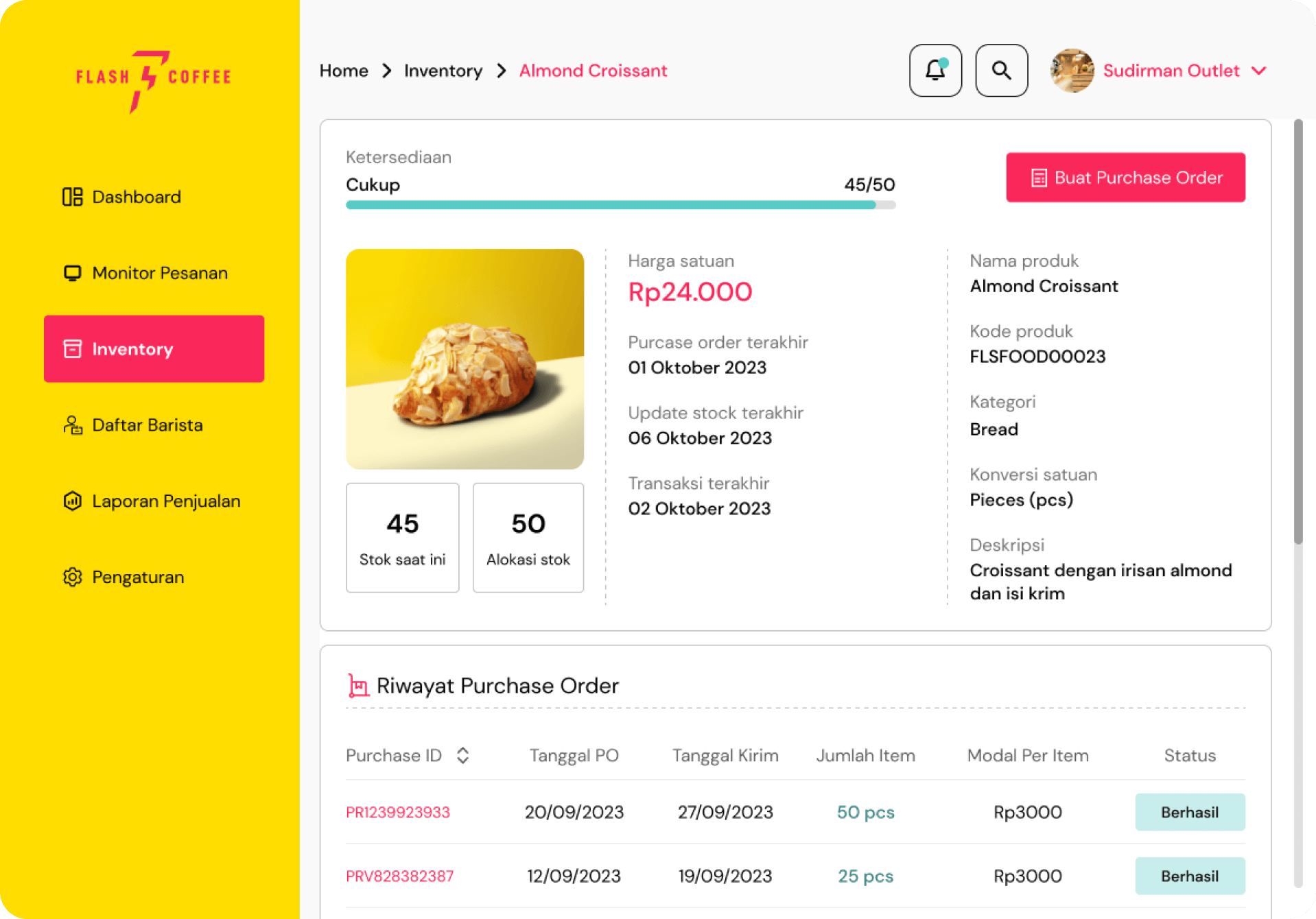
This page provides baristas with detailed information about items, including their purchase and use history.
This page also includes a button to create a purchase order and a status bar that is constantly updated in real time.
High Fidelity Prototype for Manager
Manager Dashboard
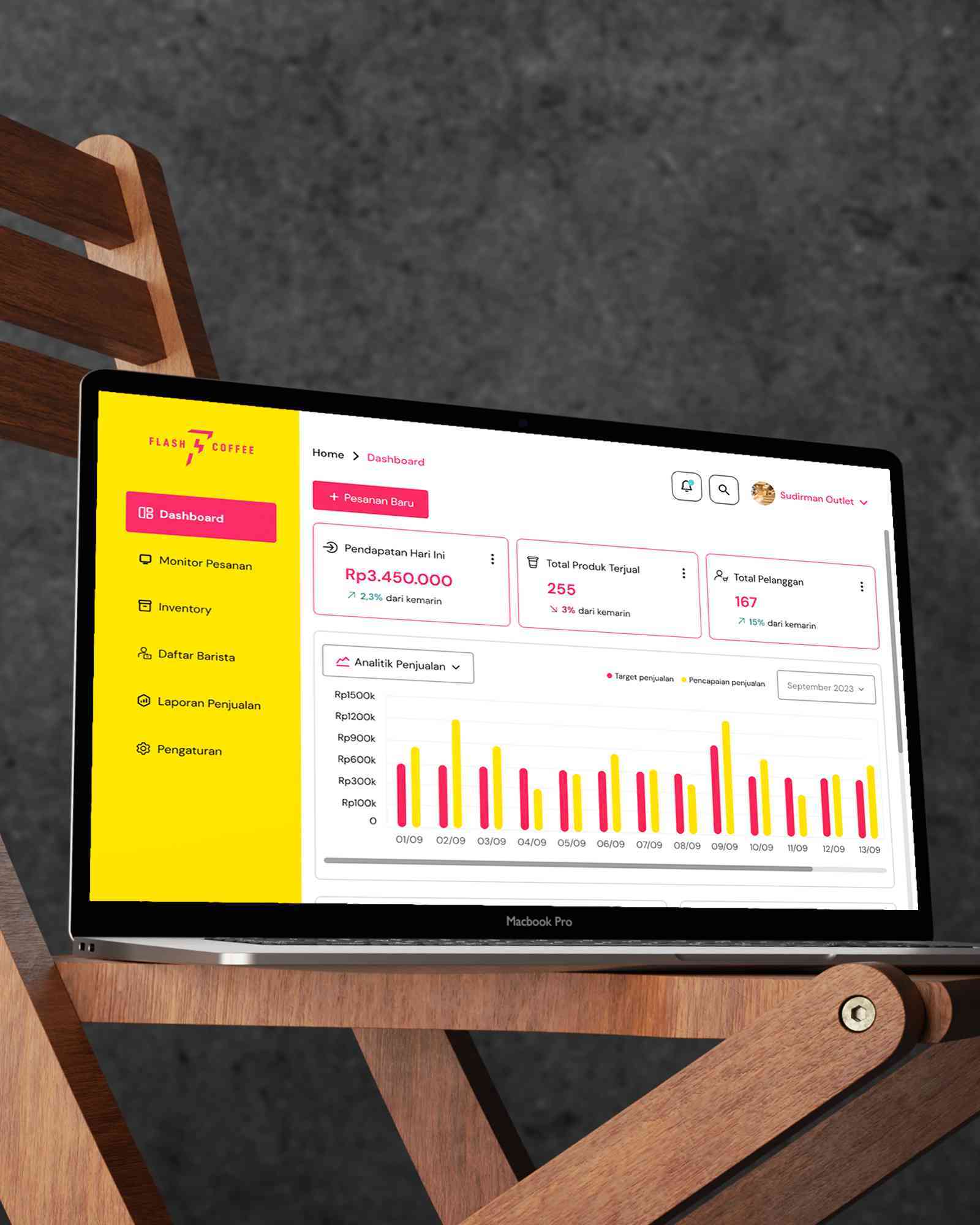
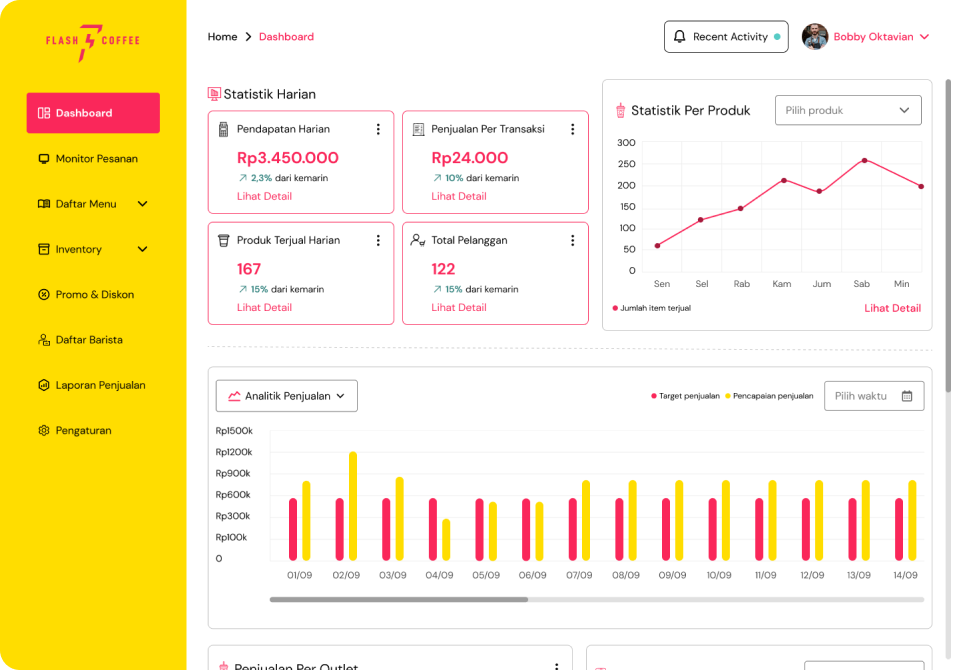
According to the needs of the Outlet Manager, this dashboard page provides complete data and can help the manager in managing his outlet. The data on this dashboard is more comprehensive compared to Barista's
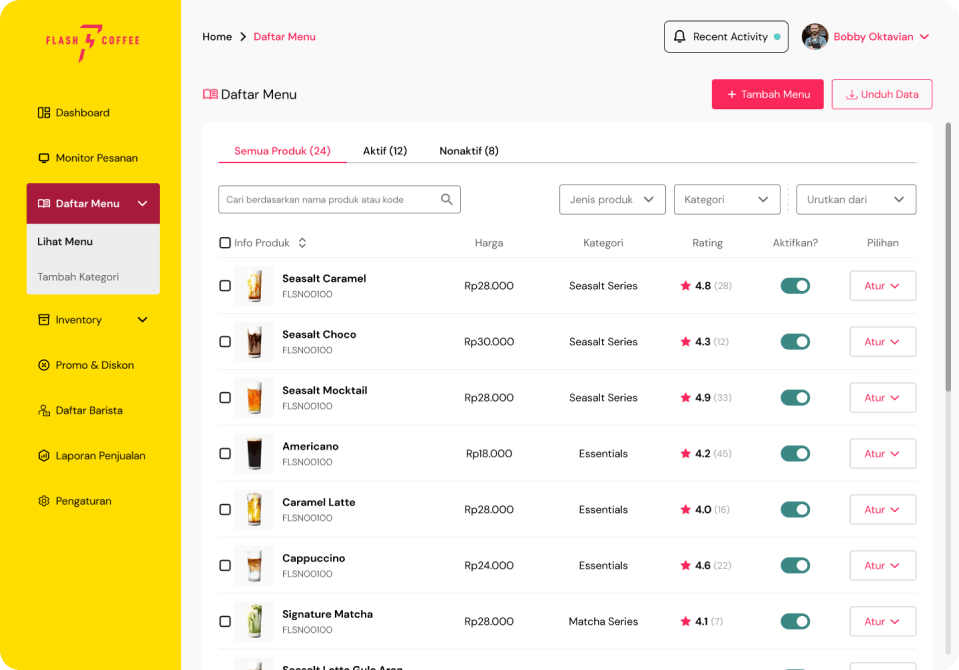
This page lists the added menus and includes a toggle button so managers can easily change a menu's active status. The Manager also provides filters that can make it easier to search for products.
Sales Report
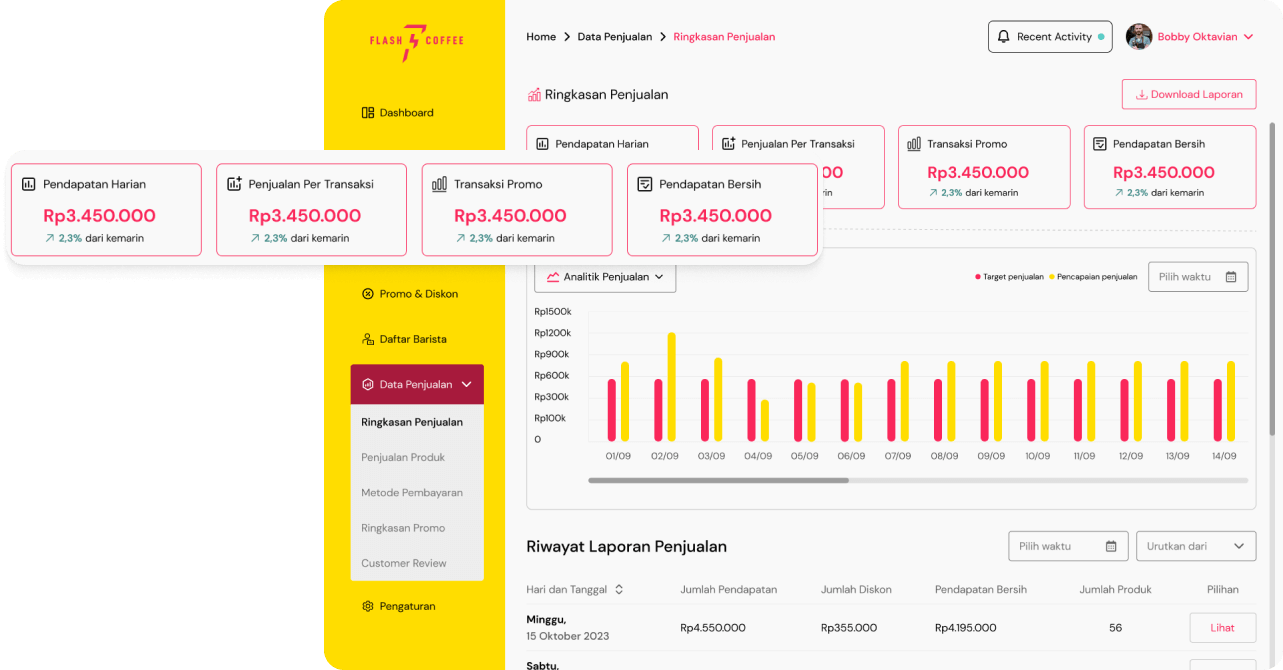
This report page has more complete data for the manager to see. The entire data set is also helpful in helping managers make decisions or read trends in the outlets they manage.
Barista List
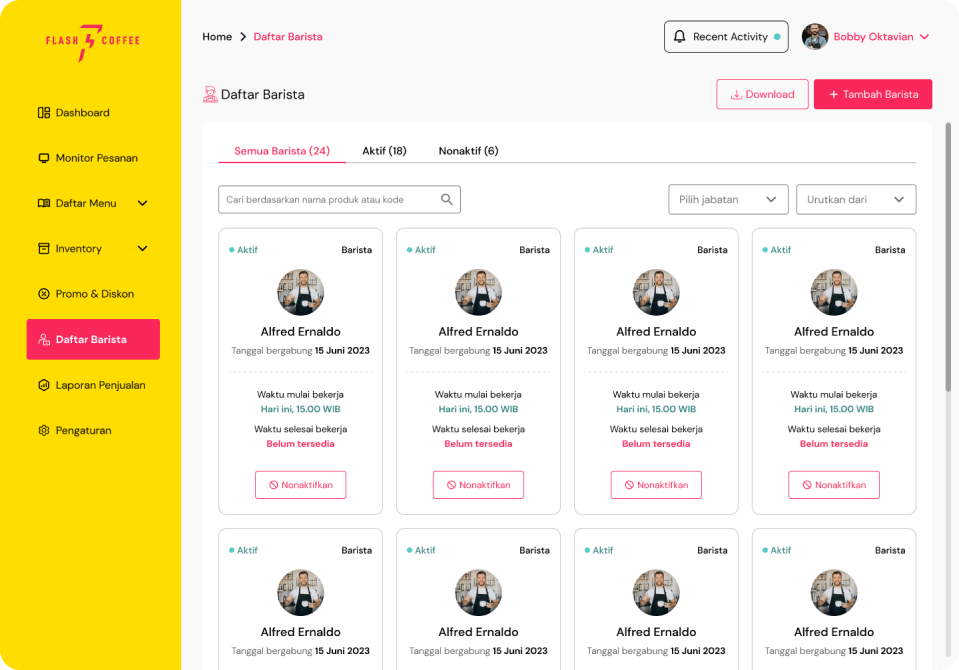
Access the list of Baristas registered at the outlet quickly, and Managers can also find data about Baristas more quickly and practically.
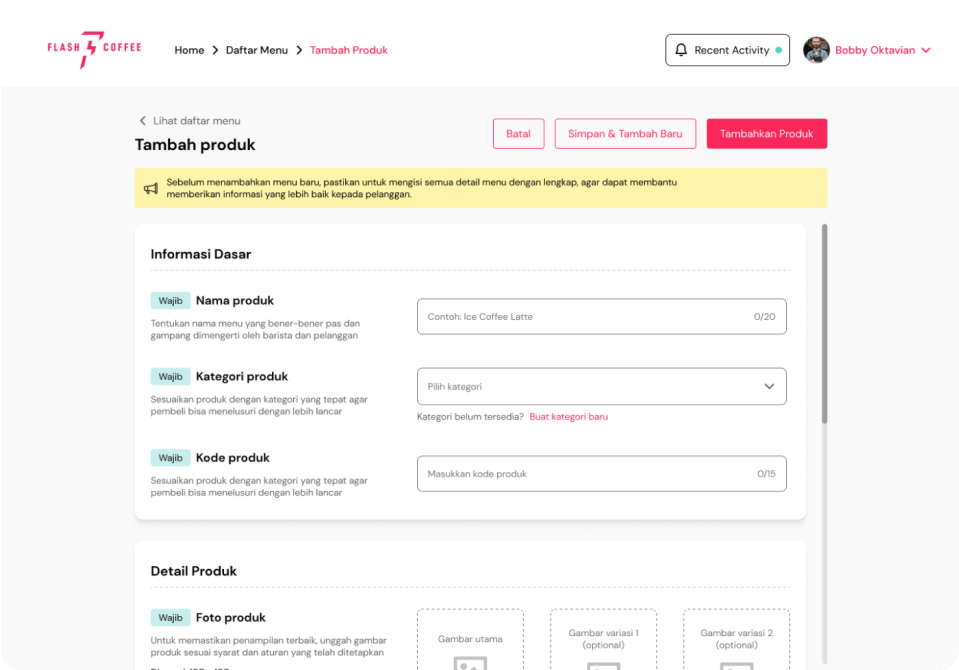
Add New Product
Using this form, managers can add new products quickly, and many fields can complete the details of the new product.
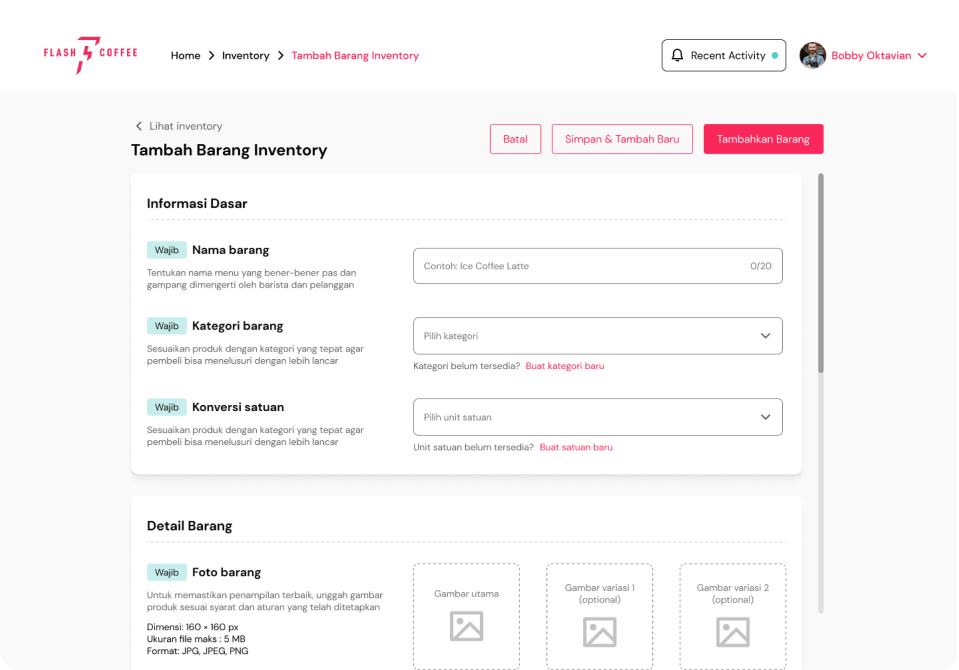
Add New Inventory
One of the Manager's responsibilities is to manage and monitor inventory, which contains production materials for the outlet. If there are new items, the Manager can add items by filling in a complete and easy-to-use form.
Takeaways and Learn
Arrange Plans Neatly
Making this POS requires extra time and is a long process because two personas use different types of devices. Arranging plans can minimize wasted design creation and cut processes that have little impact.
Consistency and Simple
In a point-of-sale system, information data is most needed and must be quickly obtained by users. Therefore, a consistent and simple design can help users avoid learning too much and become familiar with the layout of the design display.
User Testing
In this phase, testing has yet to be carried out directly on users to find out how much usability it has. Therefore, after the next phase, testing can be carried out and review the appearance that needs to be improved so that it meets their needs.